

Lenovo Legion 5i Gen 11 is an Easy Recommendation For a High Settings Gaming Laptop
These days, gaming laptops are no longer just about raw performance. With soaring prices, buyers now place a premium on versatility, design, and the ability to seamlessly switch between tasks, among other things.
The Lenovo Legion 5i Gen 11 is a great example of such a device that lets users grind ranked matches, stream to followers, edit video projects, or simply work on presentations when productivity and work call for it.
Understated Design With a Ton of Ports
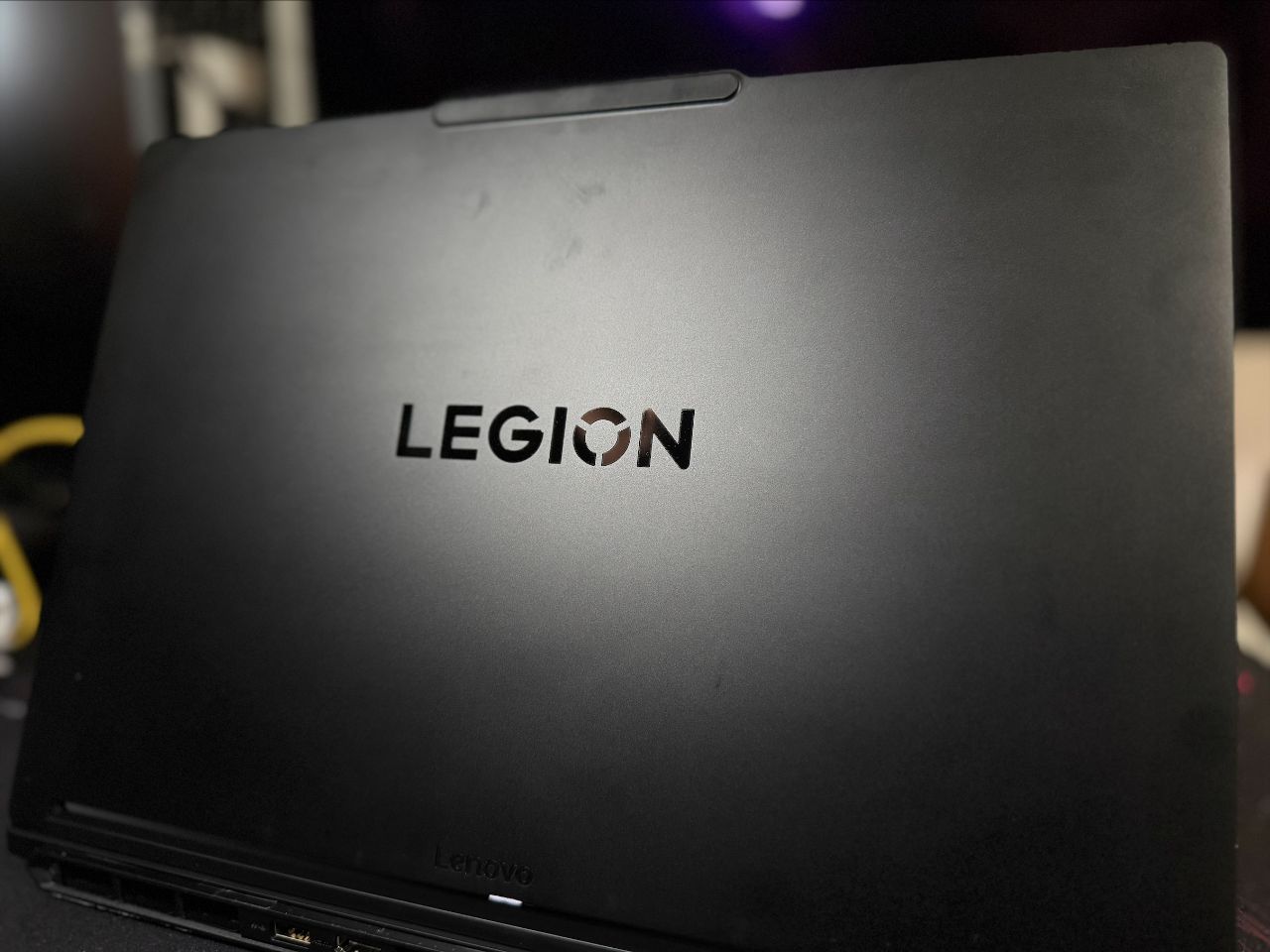
There aren’t many laptops these days that carry the color black and carry it well, but the Lenovo Legion 5i Gen 11 is a looker. It has a sleek Eclipse Black finish, a lighter and thinner frame, and an overall minimalist look. It is both stylish and powerful, but watch out for oily smudges that could ruin the stealthy look, as they tend to be more visible in this color.
Compared to the laptops from a couple of years ago, there are small design changes, but the overall look and feel is unmistakably Legion. The Legion branding is still in the middle, with a reinforced part on top that makes opening the laptop a tad easier to open up even with one hand, and generous amounts of ports on all sides.
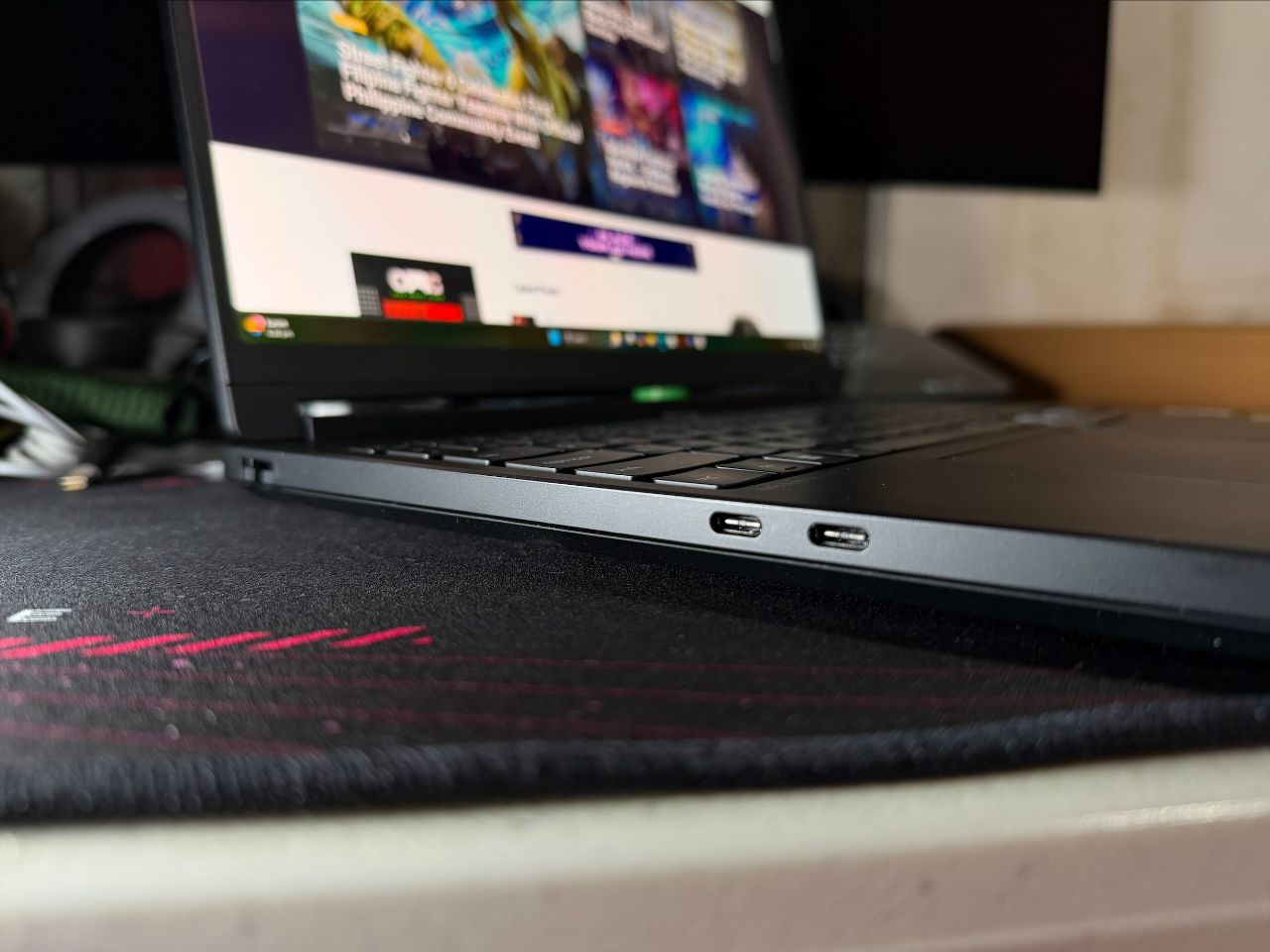
On the left, you have 1x USB Type-C (Thunderbolt 4 40Gbps with Power Delivery 65W-100W / DisplayPort 2.1), 1x USB Type-C (USB 3.2 10Gbps with Power Delivery 65W-100W / DisplayPort 2.1), and 1x RJ45. On the right, you have 1x USB Type-A (USB 3.2 5Gbps) and 1x Audio Combo Jack.
And on the rear, we have most of the inputs, including 1x USB Type-A (USB 3.2 10Gbps Always-on 5V2A), 1x USB Type-A (USB 3.2 10Gbps), 1x HDMI 2.1, and 1x DC-IN.
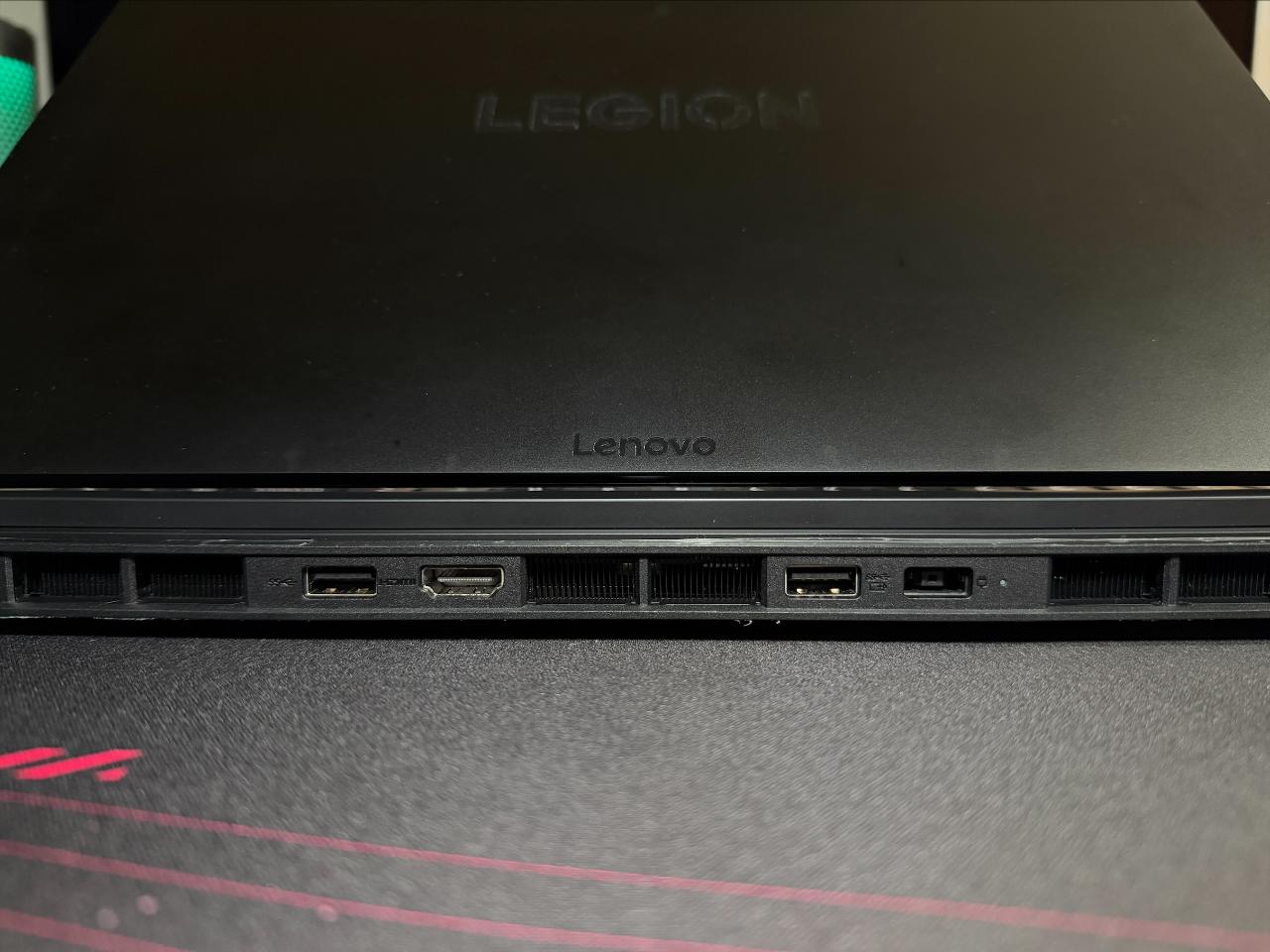
If you haven’t noticed, the Lenovo Legion 5i Gen 11 does not lack connectivity options. It has most of what you’ll ever need, and a bit more, though the lack of an SD card reader is a miss, especially for those who like transferring files quickly, like photographers.
No Lack of Gaming Capabilities
The Lenovo Legion 5i Gen 11 packs serious power for gamers who crave speed and precision. Fueled by Intel Core Ultra 7 356H and NVIDIA RTX 5060, it delivers ample gaming capability, considering that this is the younger brother of the more powerful Lenovo Legion 7i.
The RTX GPU ensures you can enjoy DLSS and Frame Generation features, making games flow more smoothly. Modern games are not too well-optimized, and some will rely on DLSS to make them perform better, so making sure your device is capable of these upscaling technologies is a 100% must.
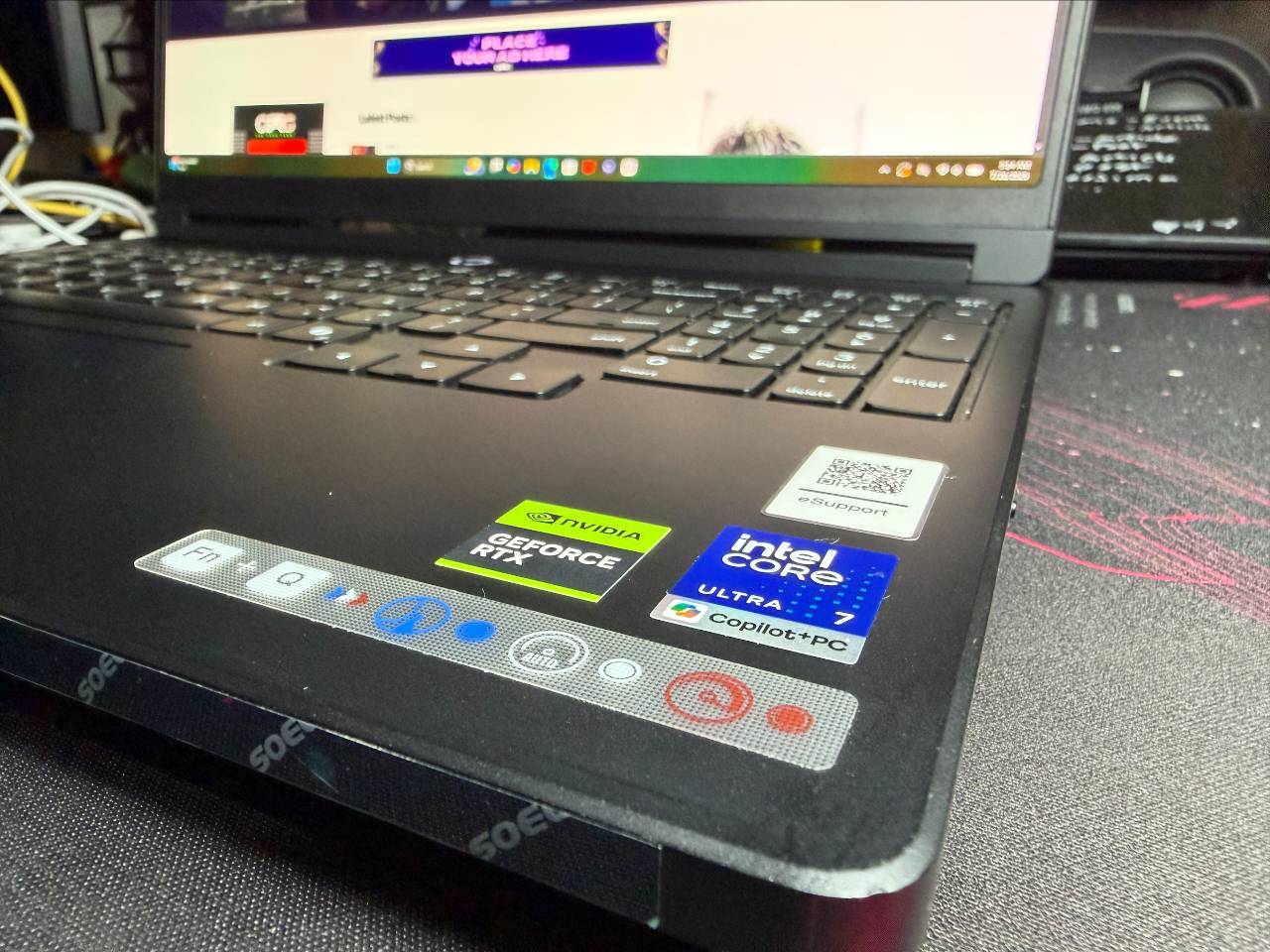
One huge upgrade of the Lenovo Legion 5i Gen 11 from the previous generations is that it now comes with a 15.3‑inch PureSight OLED display that pushes clarity and color accuracy to the limit with a 165Hz refresh rate and a 1ms response time.
Having an OLED display is almost a must for gaming laptops, and those who have tried one can certainly testify that if you’ve experienced OLED, going back to an LED/LCD display is extremely jarring. Blacks are blacks and not dark gray, and colors really pop out of the screen, making horror games scarier and other games in general just more colorful and vibrant. And even if you’re just enjoying your favorite series or music video, you can be sure you are seeing the best picture possible.
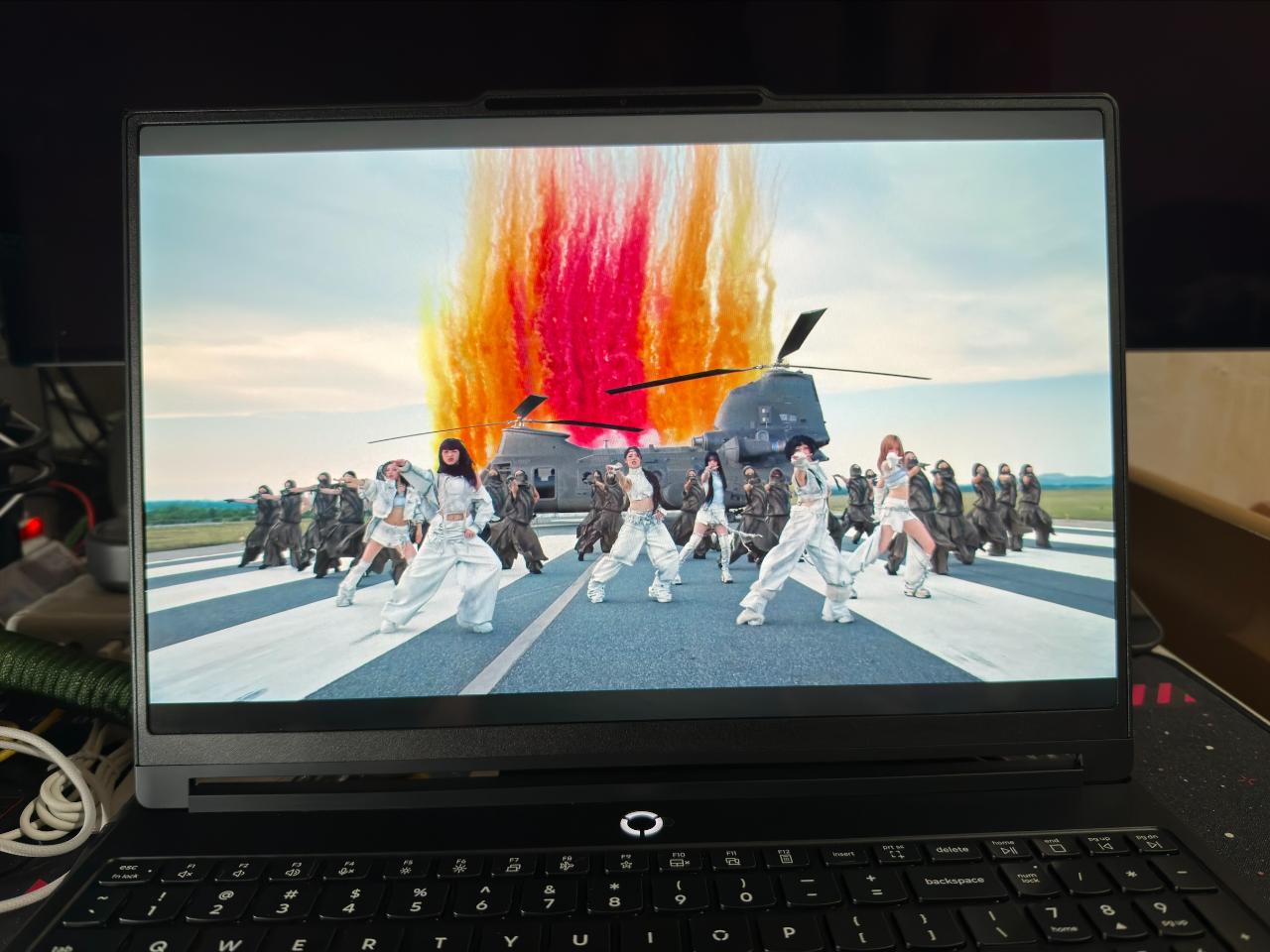
For heavy gamers, the Legion 5i stays cool and quiet thanks to Legion Coldfront: Hyper, featuring precision fans and copper heat pipes for stable performance. Lenovo Legion has proven throughout the years that its Coldfront cooling technology is extremely reliable and effective, and it’s the same for this latest iteration.
For those wanting a certain level of automation and AI to optimize performance, the Lenovo AI Engine+ automatically tweaks settings for maximum FPS or balanced multitasking, making it a laptop that adapts to every playstyle.
Game Benchmark Testing – High or Ultra Settings
While that’s all fine and good, we obviously had to take the Lenovo Legion 5i Gen 11 for a spin while playing games. Considering it is equipped with an RTX 5060 GPU, it falls on the lower end of the 50-series spectrum, but it doesn’t mean that it is that much less capable.
We checked the in-game benchmarks of several titles, ranging from old to new, and the Lenovo Legion 5i Gen 11 proved to be surprisingly capable, outputting at the default resolution of 2560×1600.
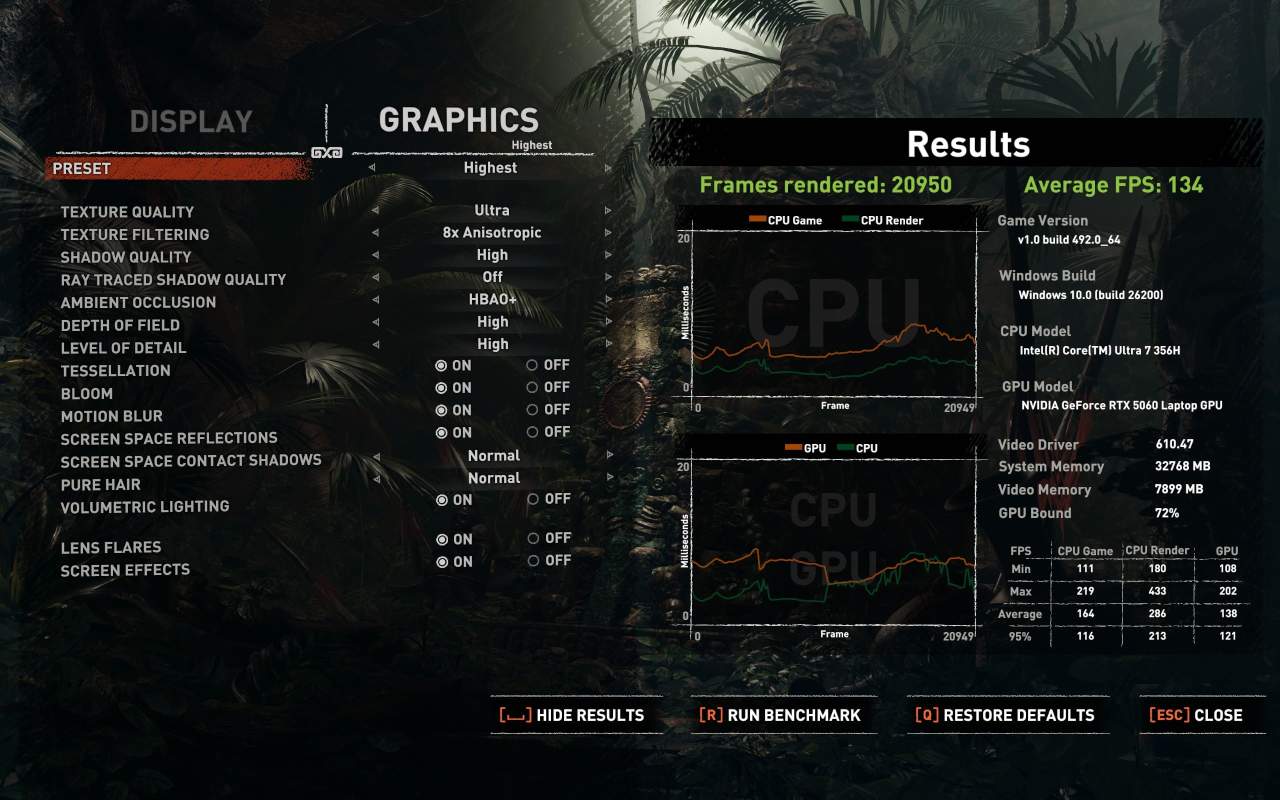
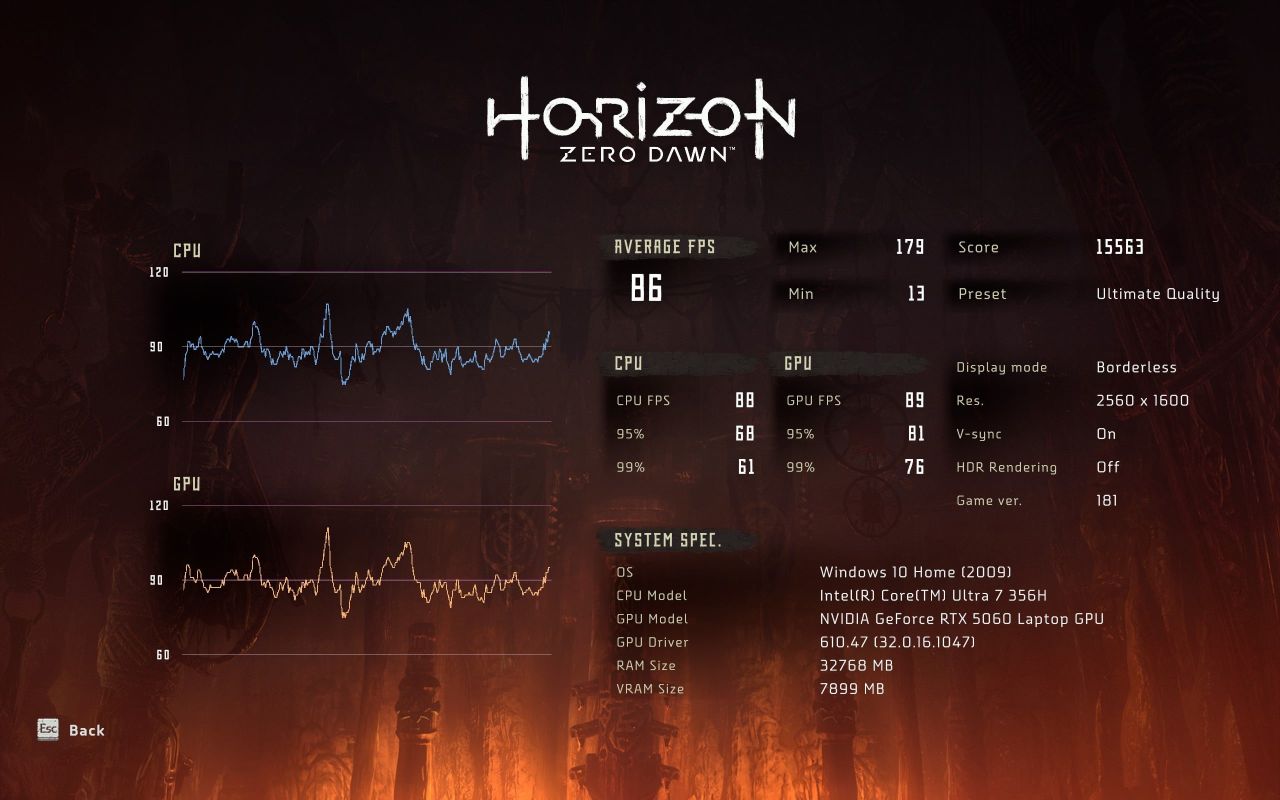
Older titles like Shadow of the Tomb Raider and Horizon Zero Dawn Complete Edition are no surprise, with the Lenovo Legion 5i Gen 11 taking on these titles at the highest possible settings and performing at around 90FPS and above. The environments of these open-world titles are satisfying to explore, and they look and play equally well on the laptop.
Shadow of the Tomb Raider – Ultra Settings, 2560×1600
Horizon Zero Dawn Complete Edition – Ultimate Quality, 2560×1600
The more interesting results come from titles like Black Myth Wukong, Cyberpunk 2077, and Forza Horizon 6.
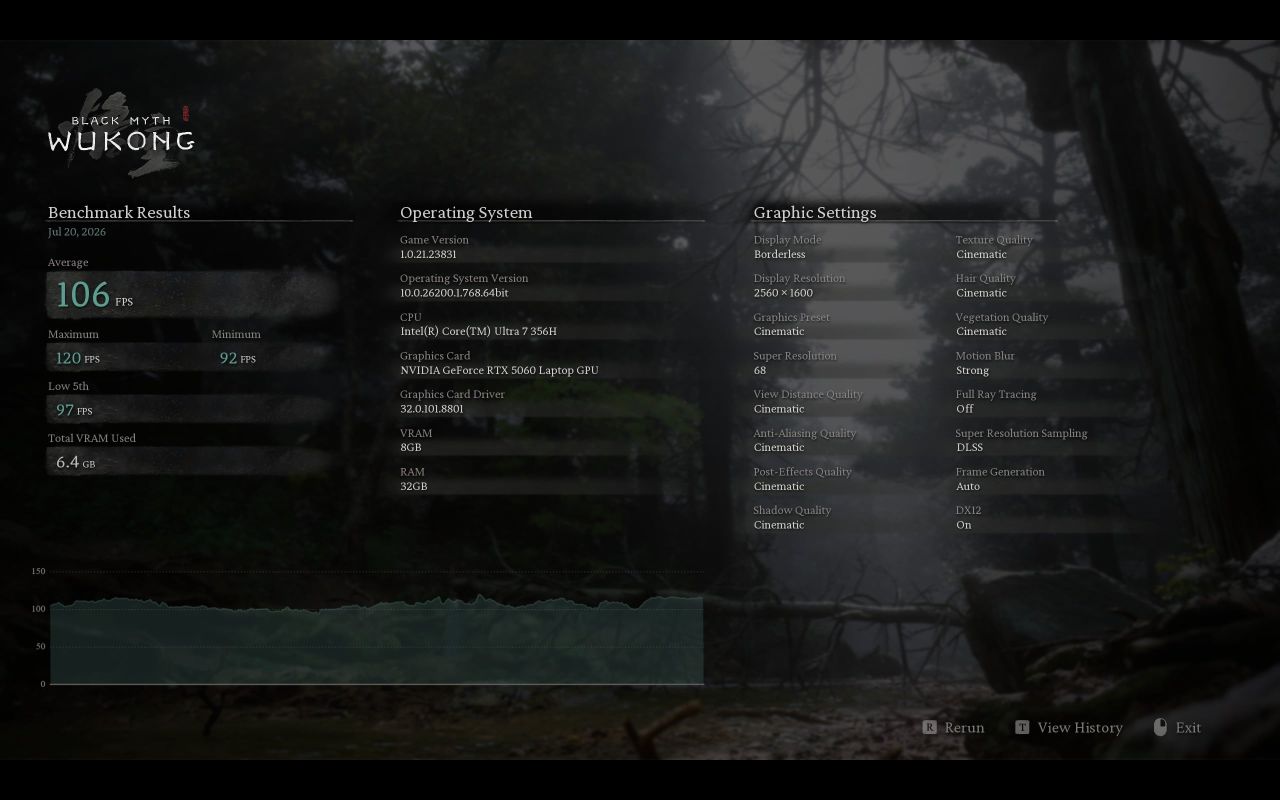
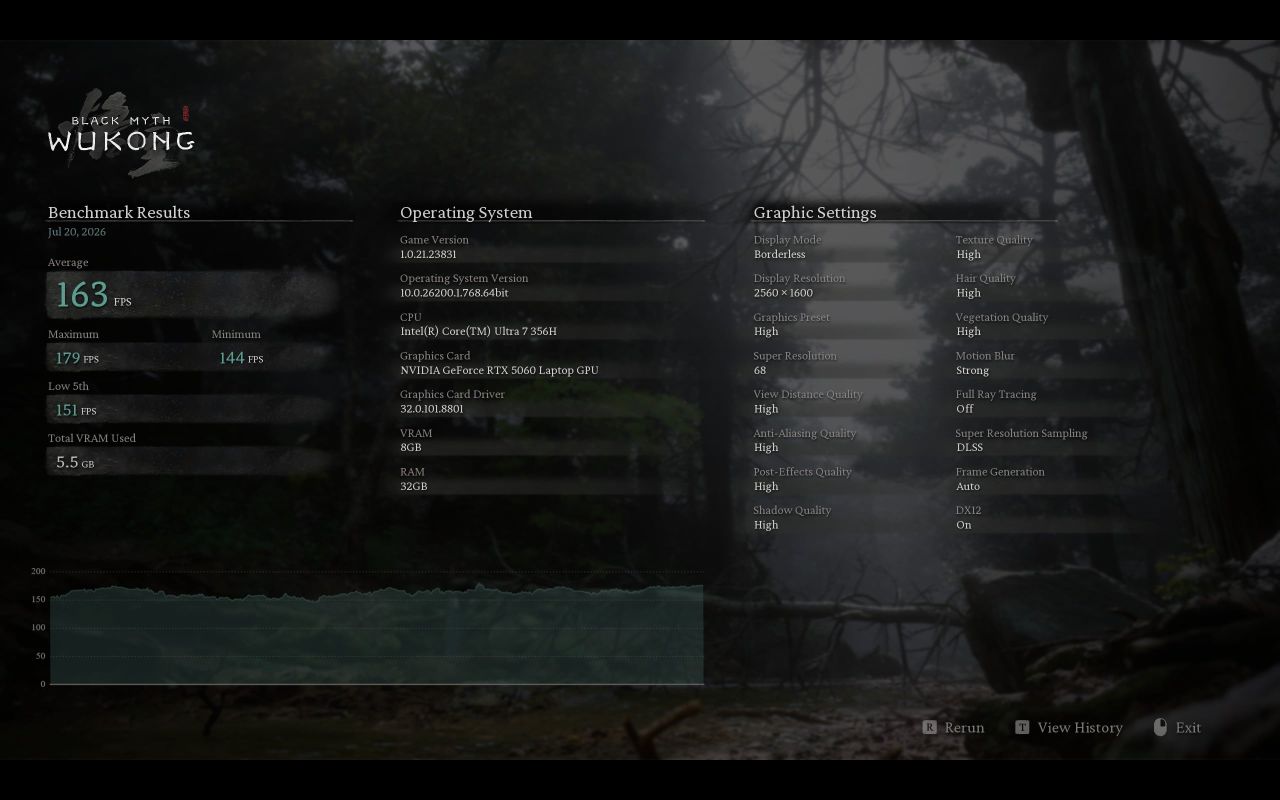
Playing Black Myth Wukong at high settings can provide gameplay above 160 FPS, but pushing it to cinematic settings will bring it down to around 100 FPS. While it is a massive drop, it is still over 90 FPS, which is usually a good spot for players.
Black Myth Wukong – Cinematic Preset, 2560×1600
Black Myth Wukong – High Preset, 2560×1600
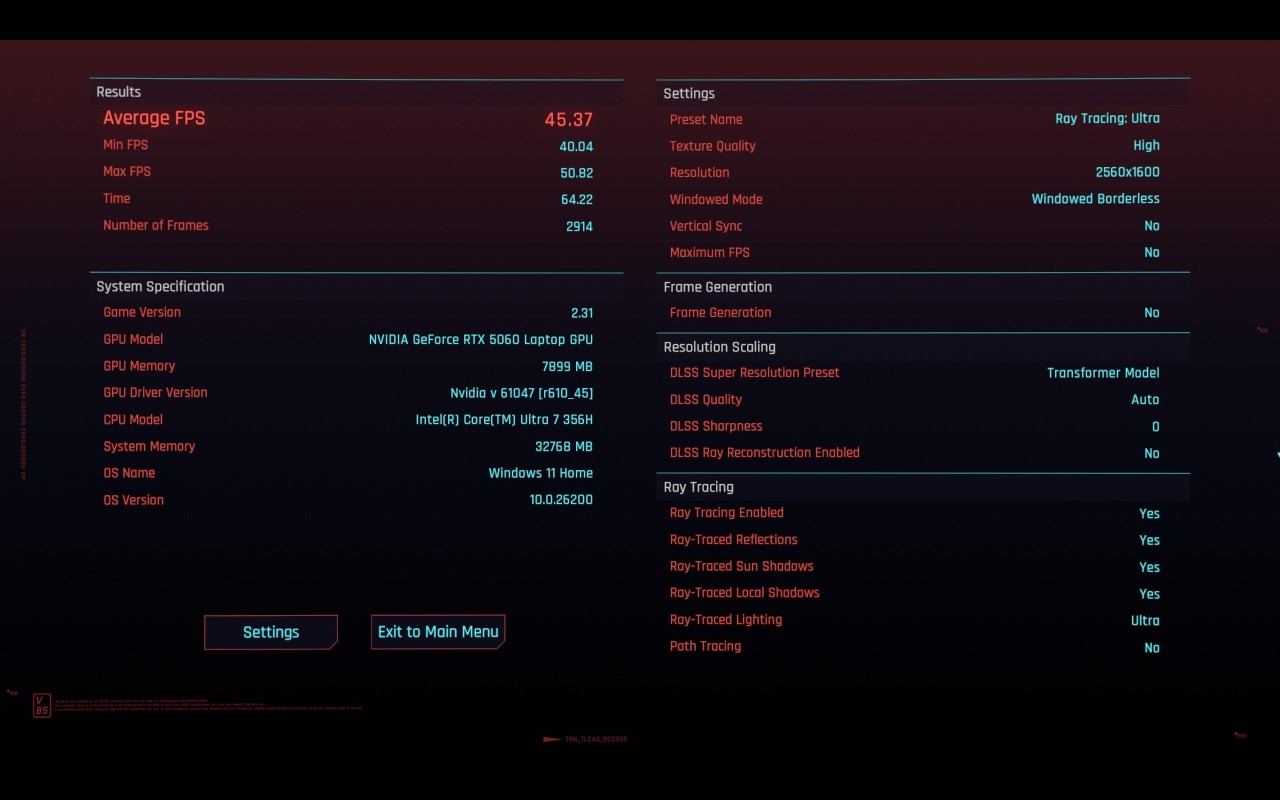
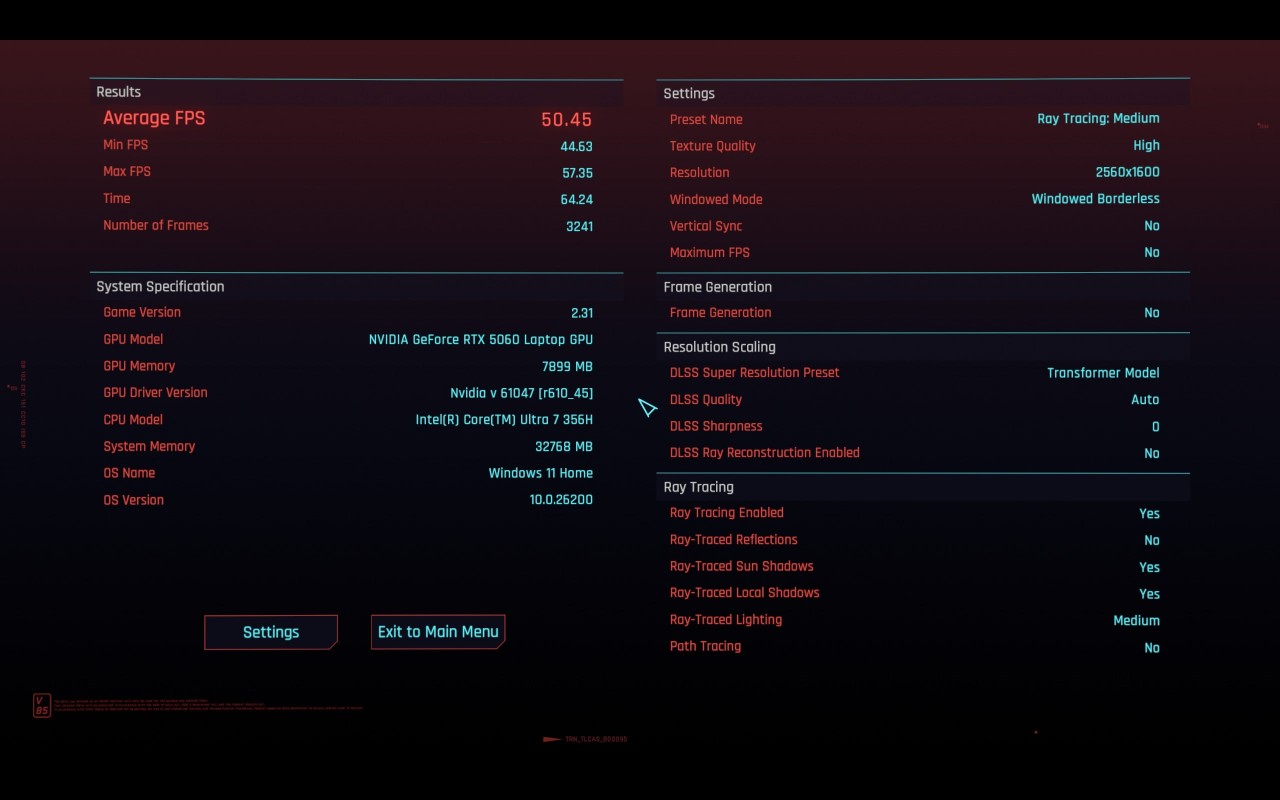
Cyberpunk 2077 is the game that really puts the Lenovo Legion 5i Gen 11 to the test because of its ray tracing. At Ray Tracing Ultra, we’re only able to get 45FPS, and moving down to Ray Tracing Medium will only boost it to 50FPS. Playing at around 40FPS with ultra settings is not bad at all, and when combined with the PureSight OLED display, it looks absolutely gorgeous.
There’s always the choice to lower the settings to remove ray tracing, which is a good option if you really need to hit 60 FPS.
Cyberpunk 2077 – Ray Tracing Ultra, 2560×1600
Cyberpunk 2077 – Ray Tracing Medium, 2560×1600
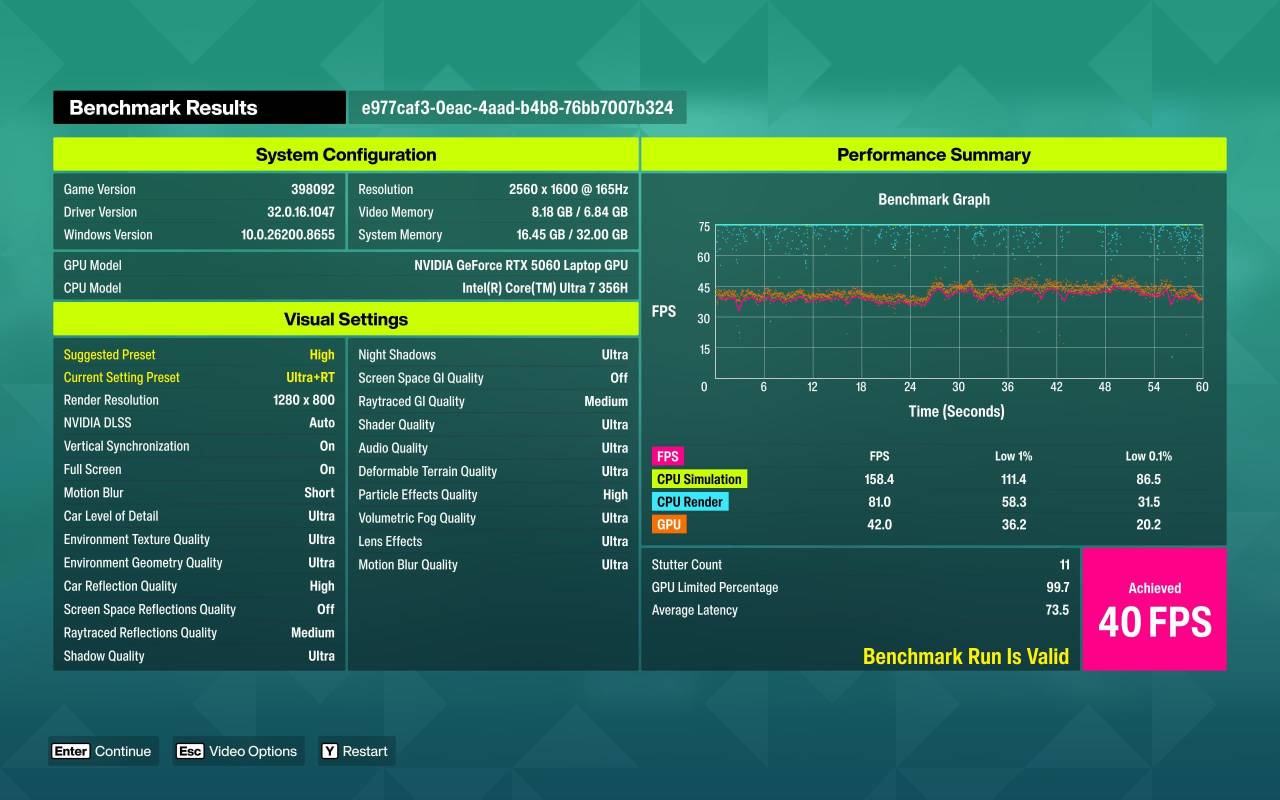
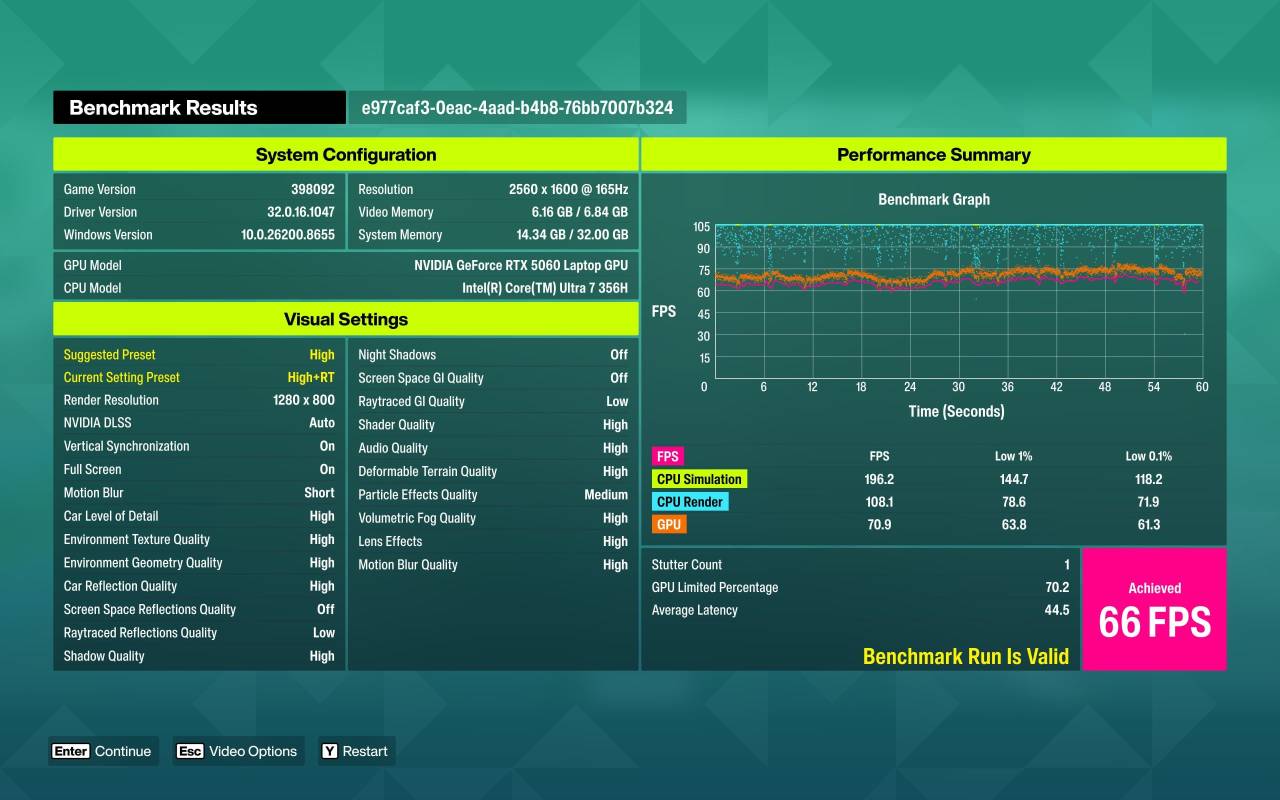
Lastly, for racers out there, you’ll be glad to know that the Lenovo Legion 5i Gen 11 is also highly capable of running Forza Horizon 6. Despite the game suggesting only high settings, we pushed it to Ultra ray tracing and got a decent 40 FPS out of it. Of course, it isn’t ideal, especially for a racing game, but it is good enough for a 5060.
With at least 60 FPS as the target, we simply moved the preset down to high ray tracing and ended up with 66 FPS. Again, Forza Horizon 6’s depiction of Japan is utterly luscious, and when paired with an OLED display, the Lenovo Legion 5i Gen 11 is a great choice.
Forza Horizon 6 – Ultra Ray Tracing, 1280×800
Forza Horizon 6 – High Ray Tracing, 1280×800
While these are simply benchmarks, actually playing the games on the Lenovo Legion 5i Gen 11 does stick close to the figures they provide, and since players can tweak various settings, hitting 60-90 FPS across most games is certainly doable, especially since the GPU is capable of both DLSS and Frame Generation.
The Lenovo Legion 5i Gen 11 proves that gaming laptops can be both powerful and refined. It strikes a balance between performance and practicality, offering high‑end specs like the Intel Core Ultra 7 356H, RTX 5060 GPU, and PureSight OLED display in a sleek, minimalist chassis that can comfortably handle modern games at high or ultra settings.
The Legion 5i Gen 11 is a versatile device built for players who also need to adapt to productivity tasks when needed, and is an easy recommendation for a laptop that can do what’s needed.
