ROG Xbox Ally Review
Xbox has seen better days in terms of hardware, and due to some of its decisions over the past few years, it has put itself in a precarious position as the next generation of consoles approaches. While its future is not yet set in stone in terms of a dedicated home console that will succeed the Xbox Series, what is certain is that they are coming in extremely hot in the handheld space in the form of the ROG Xbox Ally and ROG Xbox Ally X.
The baby brother of the two, the ROG Xbox Ally positions itself as an entry point and the closest thing to an Xbox handheld that we can get until Microsoft decides to release its own first-party device. Designed in partnership with ASUS ROG, this handheld is essentially the same as the previous generation Ally, as it gives players the ability to run native PC games from other platforms, such as Steam and Xbox Play Anywhere games, all wrapped in a redesigned, ergonomic chassis and a handheld-optimized UI that strips away much of Windows’ bloat.
The ROG Xbox Ally is up against some serious competition in the space, particularly the Steam Deck, which boasts a highly optimized user interface. How does it stack up? Let’s see!
ROG Xbox Ally Review
Table of Contents
Build, Form Factor, Ports, and Comfort
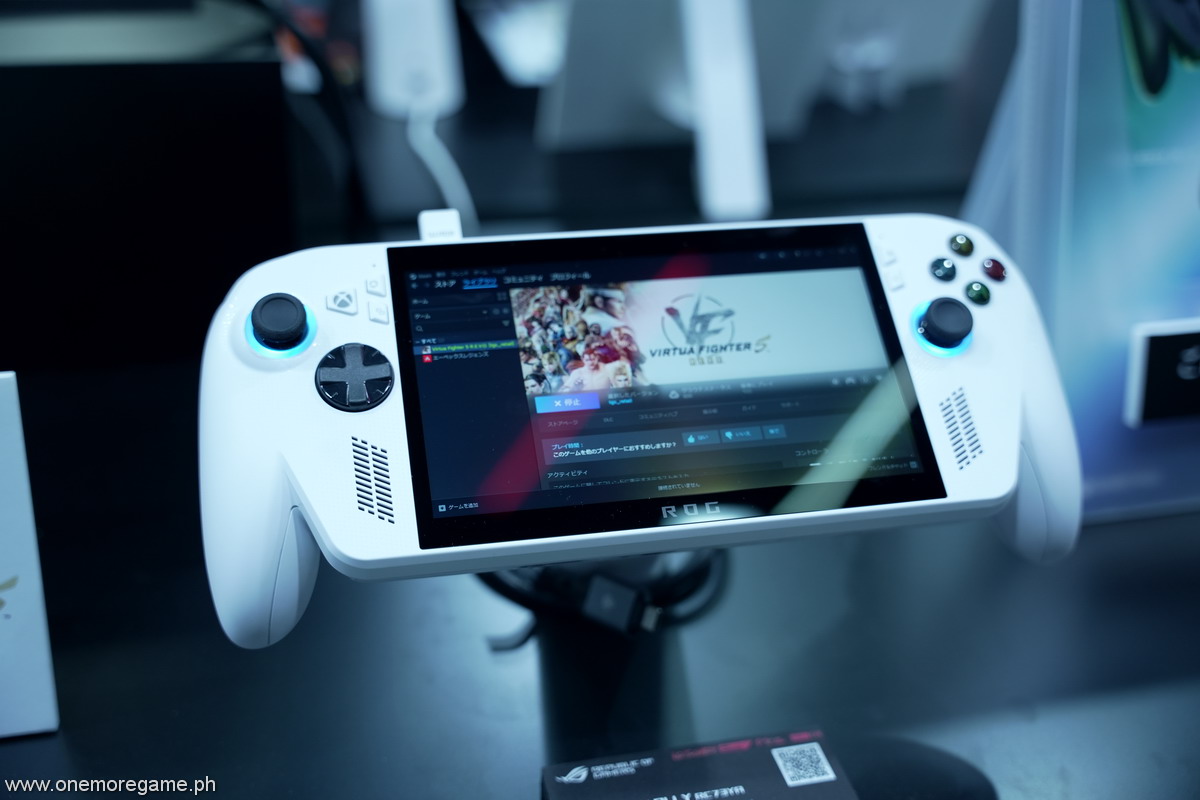
One of the most significant differences between the ROG Xbox Ally and its previous generation is its redesigned housing, which features two prominent grips reminiscent of the Xbox controller. While looks are subjective, what cannot be denied is its comfort, and the ROG Xbox Ally excels in this department, sitting flush in the hand with every button and analog stick just within reach.
Compared to the previous generation Ally, the ROG Xbox Ally is significantly more comfortable to hold during long gaming sessions. The grips are ever so slightly textured, but they hardly do anything to address sweaty hands, so unfortunately, they’re basically there for show.

The device’s weight and balance feel well-tuned for long-form handheld use without excessive wrist strain. However, the customizable back buttons are placed too far from the grips, making them feel unnatural to press and keep a finger on, causing unnatural hand positioning. As a personal preference, I would have liked the back buttons to be located closer to the grips for a more natural feel and hand placement, which they already did with the original Ally (not the Ally X).
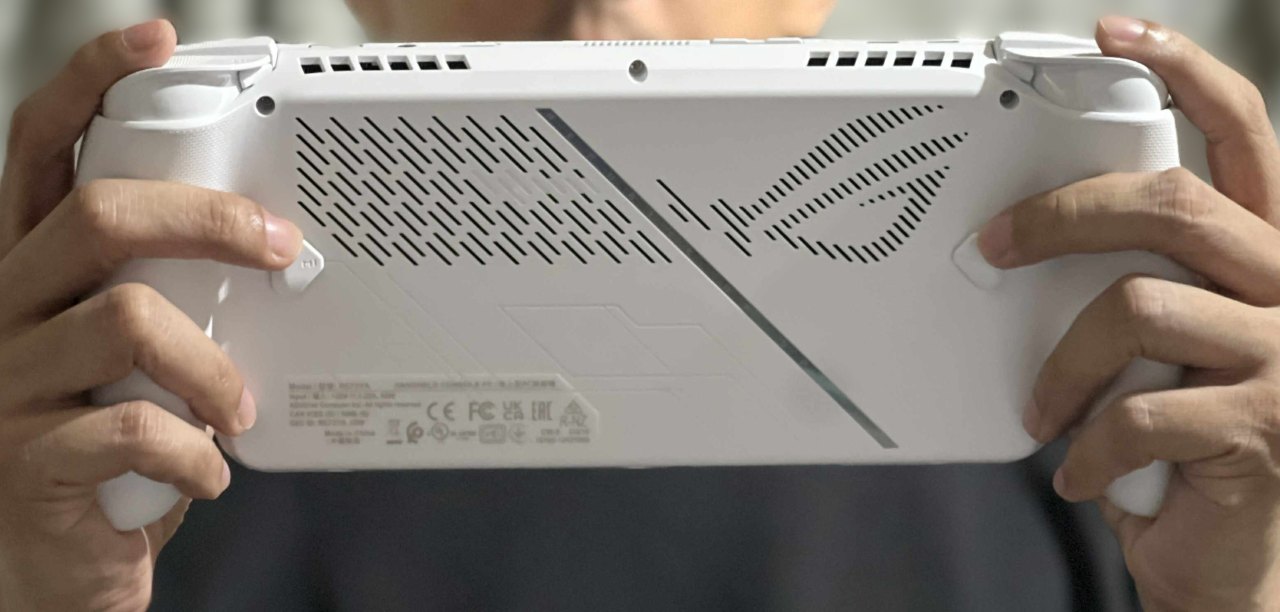
The ROG Xbox Ally features analog triggers, and they do feel weighty and precise when used. Analog placement follows the Xbox offset design, which is the preferred placement for many. Players will also get clicky L and R bumpers, along with L and R triggers that feature smooth travel.
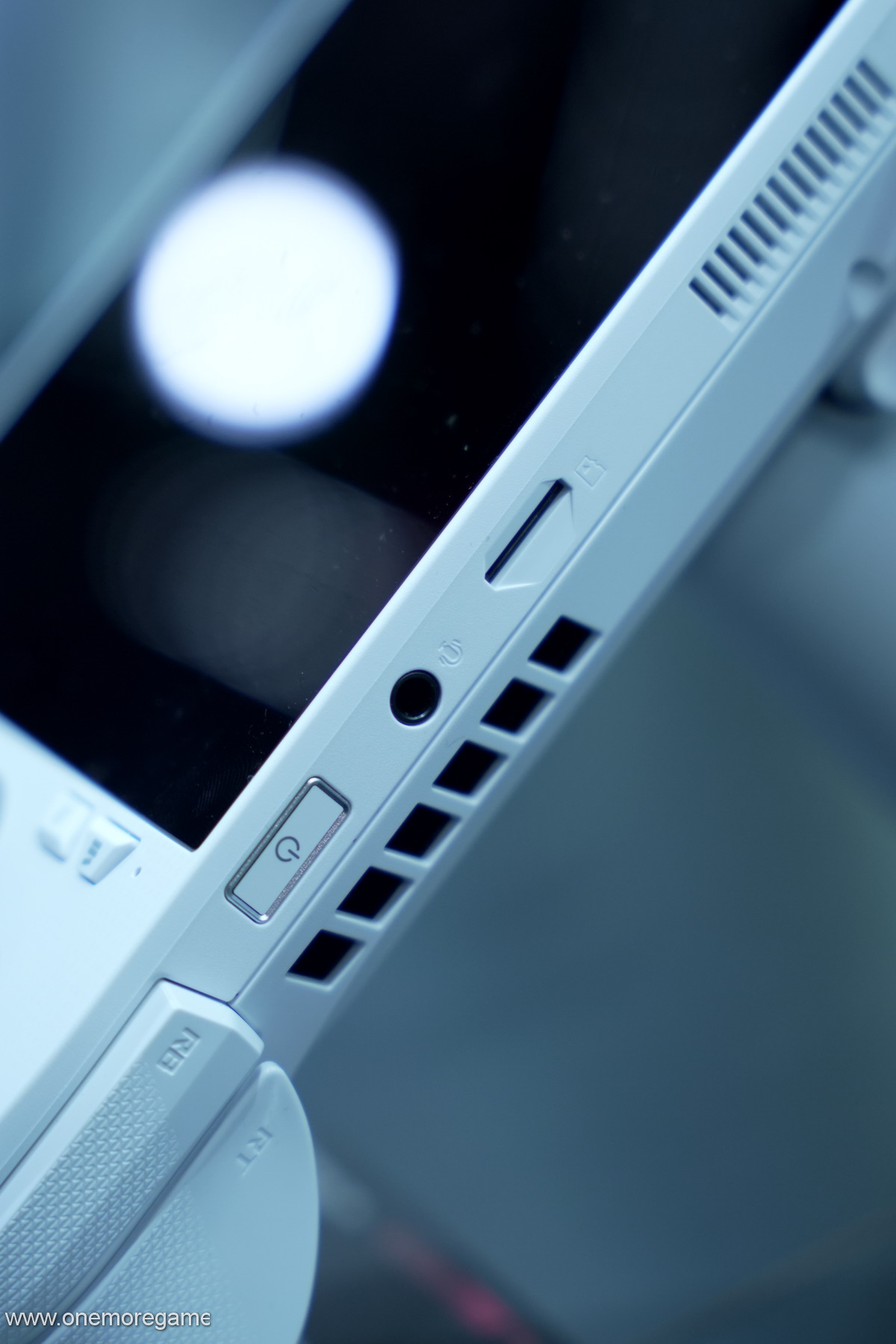
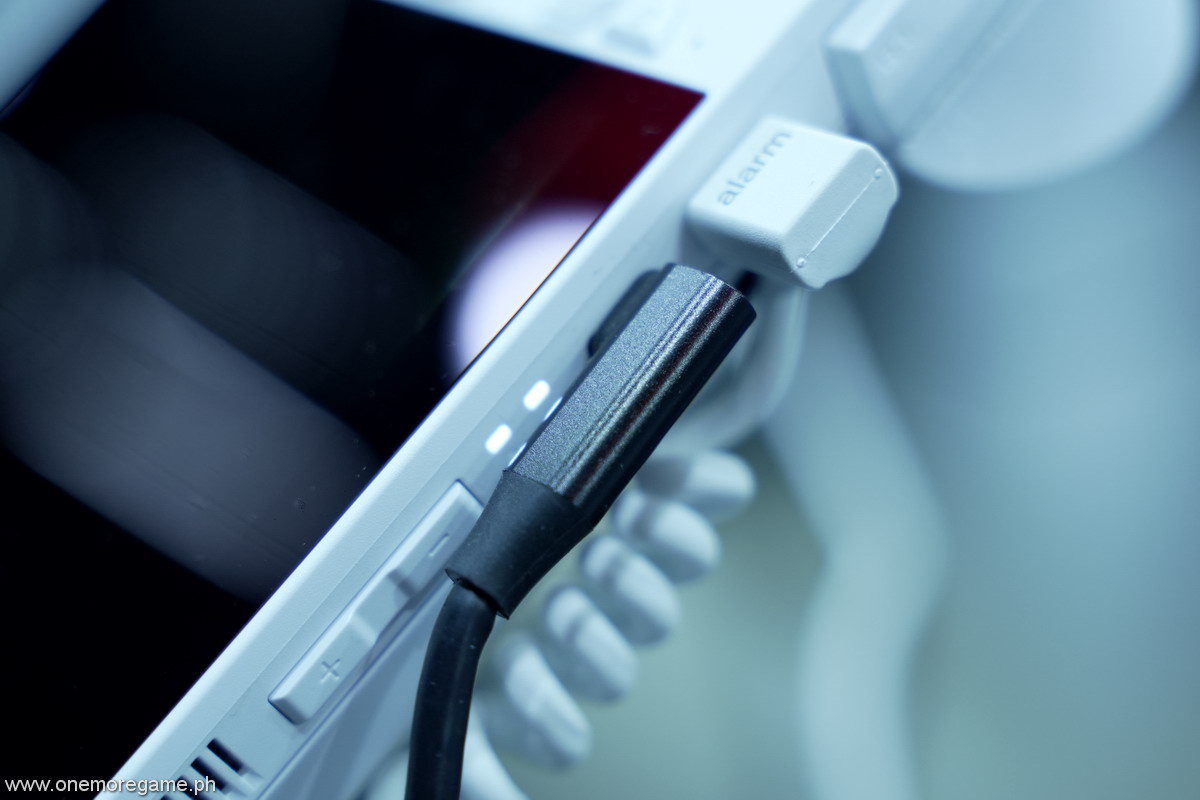
In terms of port availability, the ROG Xbox Ally goes above the typical handheld, featuring two USB-C 3.2 Gen 2 Type-C ports with DisplayPort 1.4/ Power Delivery 3.0, a 1 UHS-II microSD card reader, and a 3.5mm Combo Audio Jack. The microSD card, in particular, is key to the ROG Xbox Ally due to its limited but upgradable 512GB M.2 SSD, which can fill up quickly depending on the type of games you plan to carry around. All ports are located on top, lined up with the power button, volume buttons, and exhaust ports, which is great as everything can be easily accessed in the same area.
The 7″ 1080p display is decently sized and is the same size as the previous generation Ally. It is smaller compared to other handhelds in the space, measuring 7.9″ for the Switch 2, 7.4″ for the Steam Deck OLED, and a massive 8.8″ for the Legion Go. Despite being the smallest of the bunch, the display looks good, if not as bright as the others. The 1080p resolution certainly helps in showing more detail, as it has a higher pixel density compared to the others due to its smaller screen size.
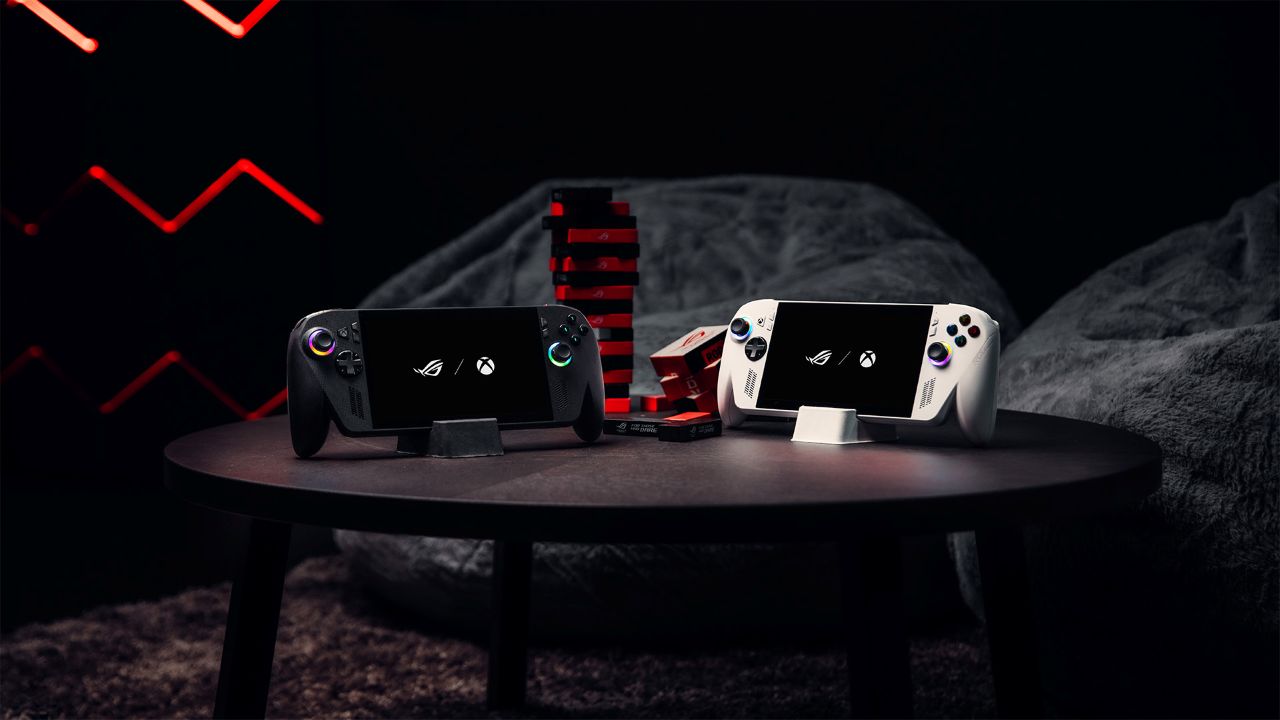
It’s worth noting that the ROG Xbox Ally is only available in white, while the ROG Xbox Ally X comes in black for a quick distinction. With its plastic chassis, expect the ROG Xbox Ally to get dirty more quickly, with the possibility of yellowing as use and wear accumulate.
Specs summary
Here’s a quick look at the specs of the ROG Xbox Ally:
| ROG Xbox Ally | |
|---|---|
| Processor | AMD Ryzen Z2 A 4c/8t up to 3.8 GHz |
| GPU architecture | RDNA 2, 8 CUs up to ~1.8 GHz |
| Memory | 16GB LPDDR5-6400 |
| Storage | 512GB M.2 2280 SSD (upgradeable) |
| Display | 7″ FHD (1080p) IPS, 120Hz, 500 nits |
Immediately, what jumps out is the lower specs compared to the X variant, with half the storage (1TB on the X) and less RAM (24 GB on the X). Of course, the ROG Xbox Ally is also almost half the price of the X, so the disparity is understandable. It’s worth noting that the ROG Xbox Ally X will receive updates, such as Automatic Super Resolution (Auto SR) and Highlight Reels, early next year, which the regular Xbox Ally will not have. This is another consideration when comparing both versions of the hardware.
The storage situation is unfortunate because some PC games are gigantic. When you consider games like Forza Horizon 5, which are well over 100GB, and Gears of War Reloaded, which takes up at least 70GB, four to five big-ticket games can easily fill up the ROG Xbox Ally. Considering specs alone, it’s wise to fill the handheld with smaller titles that are perfectly playable given its limited power, such as Silksong, Hades 2, and other titles that aren’t too taxing on the device.
You can think of the ROG Xbox Ally as your portable Indie/AA machine, if it helps simplify things.

Software and UI
The big draw of the ROG Xbox Ally is, of course, its ability to provide players with an Xbox-like experience, but with the flexibility of a handheld PC that allows for the installation of other clients, such as Steam, Epic Games, and more. That alone is a tantalizing prospect, but with a few caveats.
My experience with the ROG Xbox Ally upon booting it up is as expected from a Windows PC, as I was met with multiple upgrades and updates that I needed to do first. Not ideal. Playing on a Steam Deck for the longest time, where the interface and user experience are exceptionally intuitive, switching over to the ROG Xbox Ally was tougher than expected.
During the flurry of updates, some device tutorials appeared out of nowhere, clearly out of place, and the experience was sluggish and unresponsive at times, with some menus not responding to button presses, so I had to resort to using the touchscreen. It’s highly likely that the experience will go smoother on the official launch day, so it would be interesting to see how that plays out across the customer base.
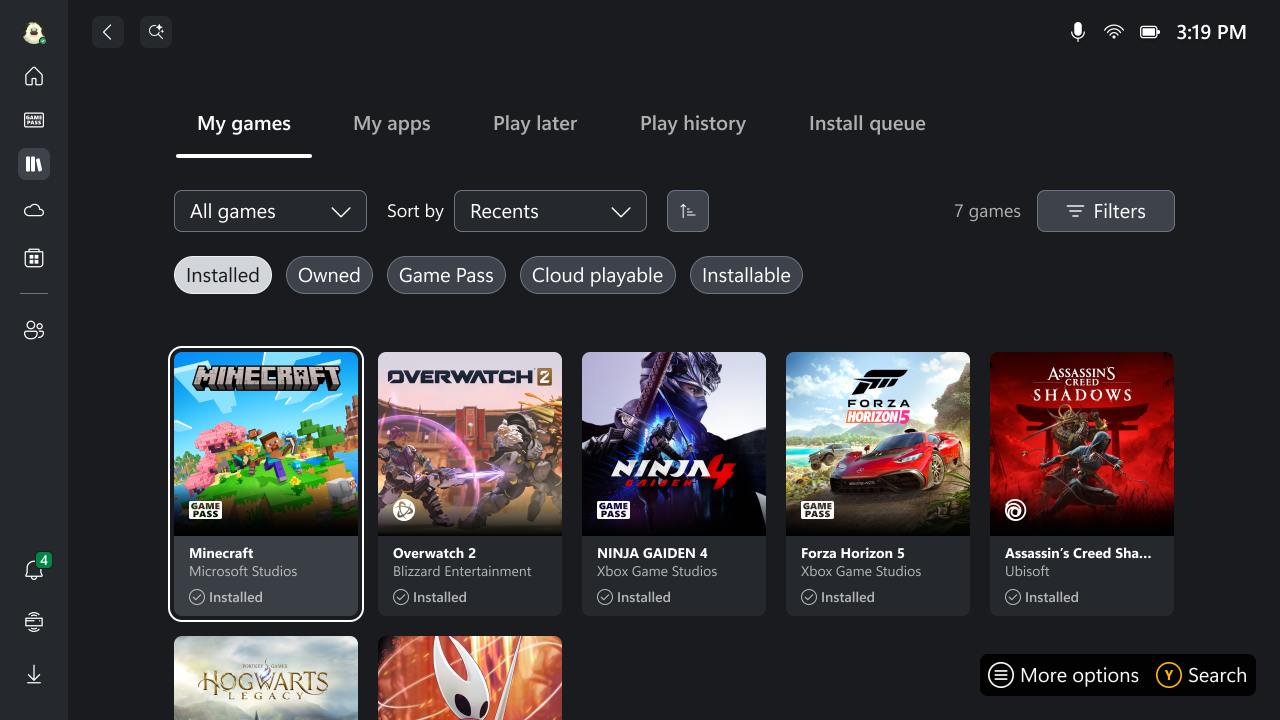
In a nutshell, the ROG Xbox Ally runs Windows, but what takes center stage is the full-screen Xbox app, which serves as the primary launcher that players can use to access all games installed on the device, including those from other launchers such as Steam. A dedicated Xbox button, located near the left analog stick, enables access to this feature. Additionally, you can set it up to launch at startup, automatically leading you directly to the full-screen Xbox app experience.
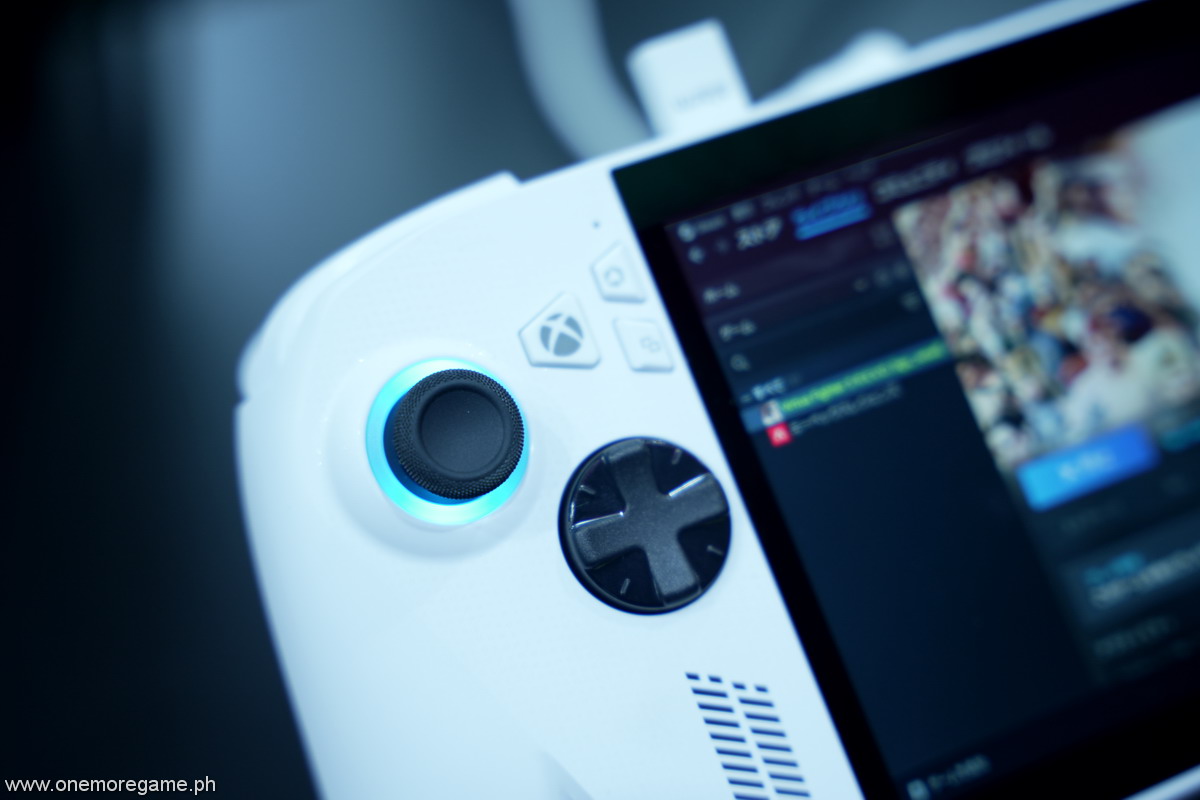
What’s interesting about this arrangement is that it only functions as a dedicated space that holds everything together, as launching installed Steam games will still require the ROG Xbox Ally to boot up Steam. Playing Hades 2 on the ROG Xbox Ally and installing it via Steam, I would open the Xbox App, run the game, and it would launch and load Steam in the background, essentially serving as a shortcut since the Xbox App does not run these games natively.
ASUS ROG’s proprietary Armoury Crate software is another program to deal with, acting as a command center of sorts. It features brightness and volume sliders, a toggle to switch resolution between 720p/900p/1080p, an FPS limiter, and additional options such as performance settings, lighting, battery care, and more. You can even turn on Radeon toggles like Radeon Super Resolution, Radeon Anti-Lag, AMD Fluid Motion Frames, and much more.
Initially, I had a hard time switching between performance modes because I always had to open Armoury Crate to toggle between silent mode and performance or turbo mode. After experimenting with a few shortcuts, I was able to customize the Armoury Crate quick dashboard to have those toggles on for easy access, rather than having to open the app every time.
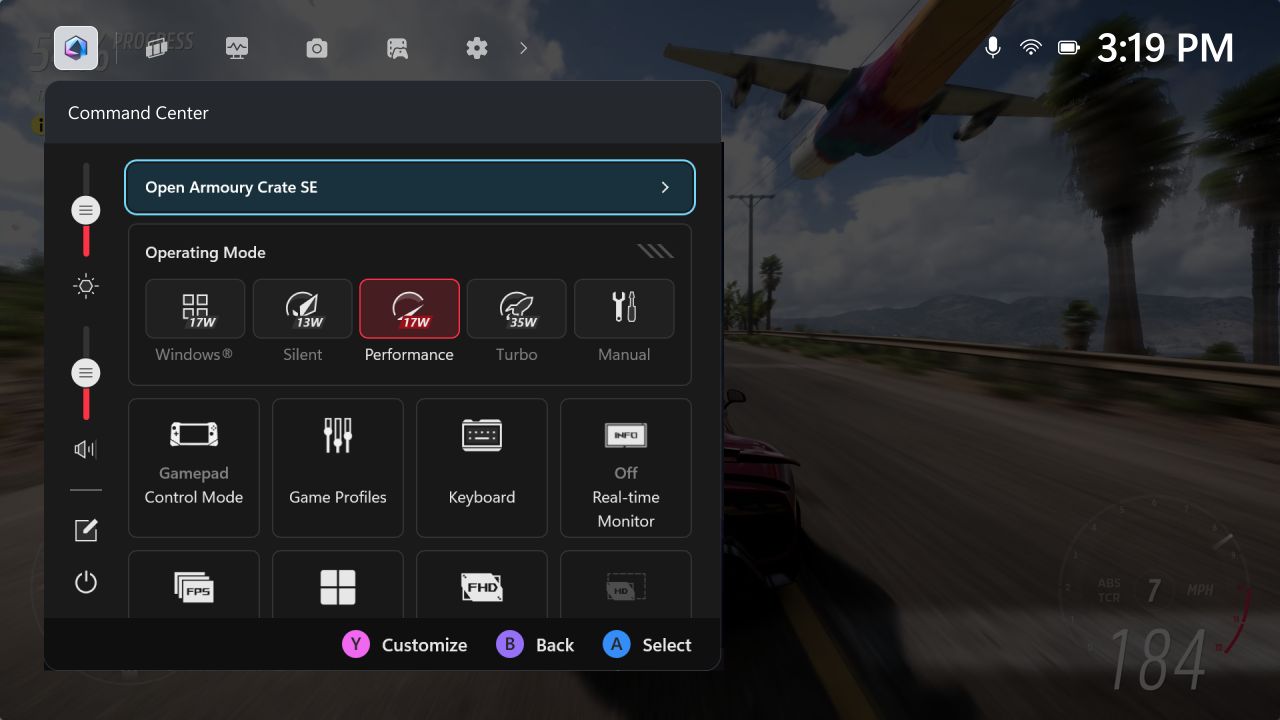
The amount of control the ROG Xbox Ally provides users to customize the experience is astounding, and players who like to tweak settings will be on cloud 9. Still, there’s also the argument that if Xbox were aiming to make this a handheld that mimics the Xbox console experience, known for its fuss-free nature, then these options are overkill. Console players value the plug-and-play aspect of their hardware, so this feels counterintuitive.
Even more notable is the fact that the ROG Xbox Ally features a touchscreen that can access various menus. Swiping right opens the Xbox Game Bar Overlay, swiping left opens Notifications, and swiping up opens the task switcher, similar to what you would use to switch between or close apps on a mobile phone. Again, another layer of customizability and access, but also another layer of complication for players.
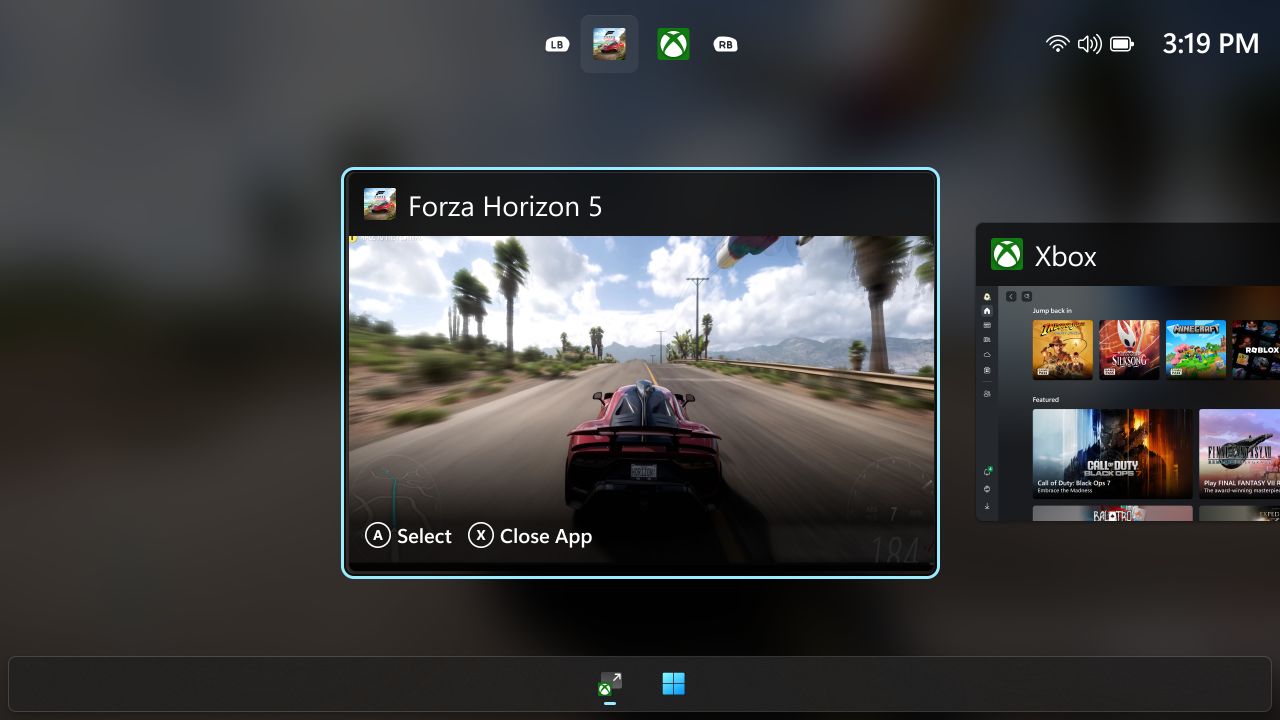
While the ROG Xbox Ally user interface experience has improved significantly from the previous generation, there’s still room for improvement, especially in streamlining unnecessary bloat and making navigation more intuitive. Ideally, all of these options can be handled by one app, whether it’s Armoury Crate or the Xbox App; needing different software unnecessarily complicates the experience. Again, I’d like to minimize the comparison to the Steam Deck as much as possible, but it’s still leagues apart in terms of usability.
There’s also the ever-present presence of Windows, whether it’s through the updates required or the constant switching between apps and tabs. While the ROG Xbox Ally boots up into the Xbox full-screen experience, you’ll always know that Windows is like a set of eyes, always looking over you.
Games Tested
During our time with the ROG Xbox Ally, we installed and played a mix of indie and triple-A titles that would take advantage of the hardware. We installed over 10 games, including Clair Obscur: Expedition 33, Final Fantasy Tactics: The Ivalice Chronicles, Forza Horizon 5, Gears of War Reloaded, Hades 2, Silksong, and more. These titles were also installed from a mix of Xbox and Steam.
The ROG Xbox Ally is perfectly capable of playing Silksong and Hades 2, and understandably so, as these aren’t graphically demanding. The visuals look good, playing at high settings while maintaining 60fps at performance mode and even at silent mode. Logically, these are the type of games you’ll want to be playing on handheld PCs and not ultra-spec-heavy games like Cyberpunk 2077.
Speaking of heavy titles, we also tried running Forza Horizon 5, and to our surprise, the ROG Xbox Ally holds up remarkably well, even with the limited power compared to the ROG Xbox Ally X. The game looks decent enough on a small screen, and even with the apparent lack of detail compared to the PC or PS5/Xbox Series versions, the real estate does well to hide all of the omissions. In the device’s performance mode, playing at the default high settings and 1080p results in frames ranging from 30 to 40/45, which is surprisingly decent. You can tweak additional settings to boost the frame rate to 60fps, but the game runs well by default.

Playing Clair Obscur: Expedition 33 on the device performance mode, I was getting around anywhere from 20-30fps on default medium settings, but with XeSS set to balanced and resolution down to 720p. Pushing to high settings is unadvisable as the game dips to sub-20fps, which is not ideal. The ROG Xbox Ally can be forced to handle these types of titles, but you’re better off playing them on a dedicated console or PC for a better experience. The ROG Xbox Ally X would be much more capable, so expect to see better performance there.
The appeal of the ROG Xbox Ally is that it allows you to access all your gaming libraries in one handheld, but that’s not the case just yet. While your entire Steam library (and others, such as Epic Games and Battle.net) can be accessed here, your complete Xbox library is not available natively just yet. Only titles that are on PC (and PC Game Pass) and have the Xbox Play Anywhere entitlement will work. Native console titles are not yet available, so that’s a significant miss for those looking to bring their complete Xbox library on the go.
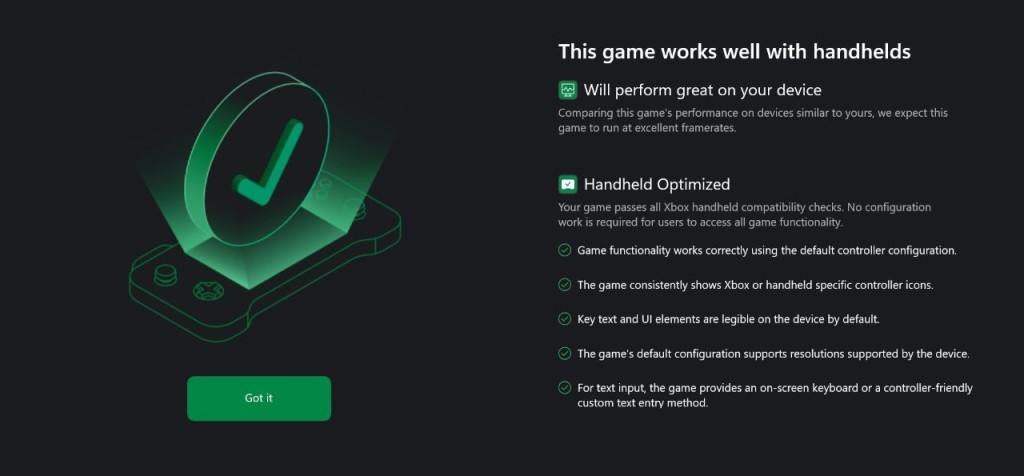
Ahead of the launch, Microsoft has begun tagging games with its Xbox Handheld Compatibility Program, informing users of which titles will be handheld-optimized for use with the ROG Xbox Ally. This clearly indicates that Xbox is looking ahead to optimizing its games with this handheld in mind, but given the hardware limitations, it would still be understandable if not all games can be played properly on the handheld.
While it is best used with an internet connection, the ROG Xbox Ally remains functional even when not connected. Games will still run, whether on Xbox or Steam. A notification on the Xbox App indicates that games will be available for use with a 14-day limit, likely for license verification purposes.
If anything, one aspect of the ROG Xbox Ally that really impressed me is its built-in speakers, which put out surprisingly great audio even at lower volume levels. The sound was crisp and clear, and in-game details were heard well while playing. Another impressive aspect of the ROG Xbox Ally is its thermal management. While the fans work overtime when playing heavy titles, they effectively exhaust hot air through the multiple vents, preventing throttling during extended gaming sessions.
Battery life is a challenging metric to consider, especially since several factors influence it, including the type of games played, silent/performance/turbo mode, brightness, volume, and more. That said, a standard gaming session for me, playing in performance mode and mixing Hades, Silksong, and Forza Horizon, would last around 3-5 hours. Again, mileage may vary.
Verdict
The ROG Xbox Ally delivers a well-balanced handheld experience, blending the capabilities of Windows gaming with an Xbox-centric focus that streamlines the interface to a certain degree. Its ergonomic design and performance make it ideal for Game Pass subscribers and PC players who value on-the-go gaming, albeit at a premium price point, considering this is the “base” model.
That said, the user interface and user experience still require lots of improvement and are a ways off from reaching a point where commands and navigation become second nature. There’s an extreme amount of customizability for users who like to tinker around with settings, rewarding them with a tailored gaming experience.
It will be interesting to see how Xbox evolves from here and what improvements it makes further down the line, but for now, the ROG Xbox Ally is a solid device that gives players the option to take their (partial) Xbox and Steam (along with other marketplaces) libraries on the go. So, is it an Xbox? Maybe not just yet, but it’s getting there.
The ROG Xbox Ally and ROG Xbox Ally X will be available on October 16, 2025.