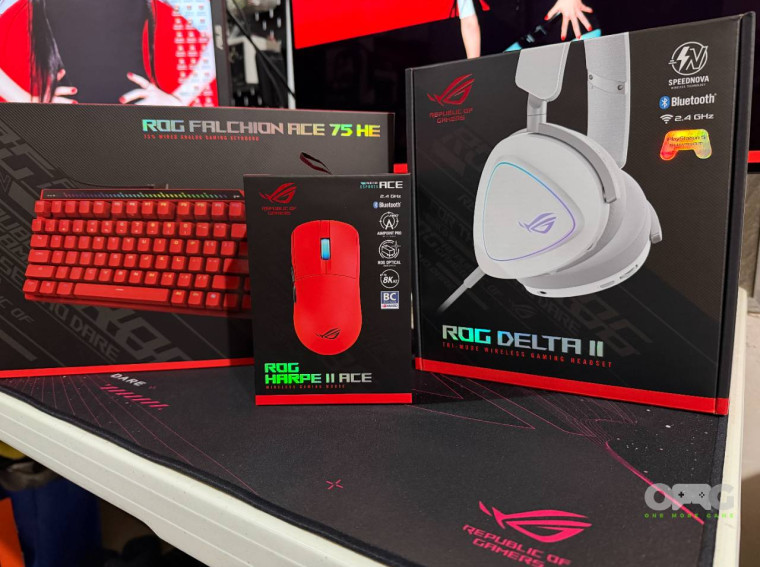
When it comes to PC peripherals, many of us instinctively gravitate toward the “gaming” or “esports” variants. It’s easy to see why, as these devices are tuned for maximum performance and often deliver a strong all‑around experience, even outside competitive play. The appeal lies in their responsiveness, precision, and durability, which benefit casual users almost as much as professional gamers.
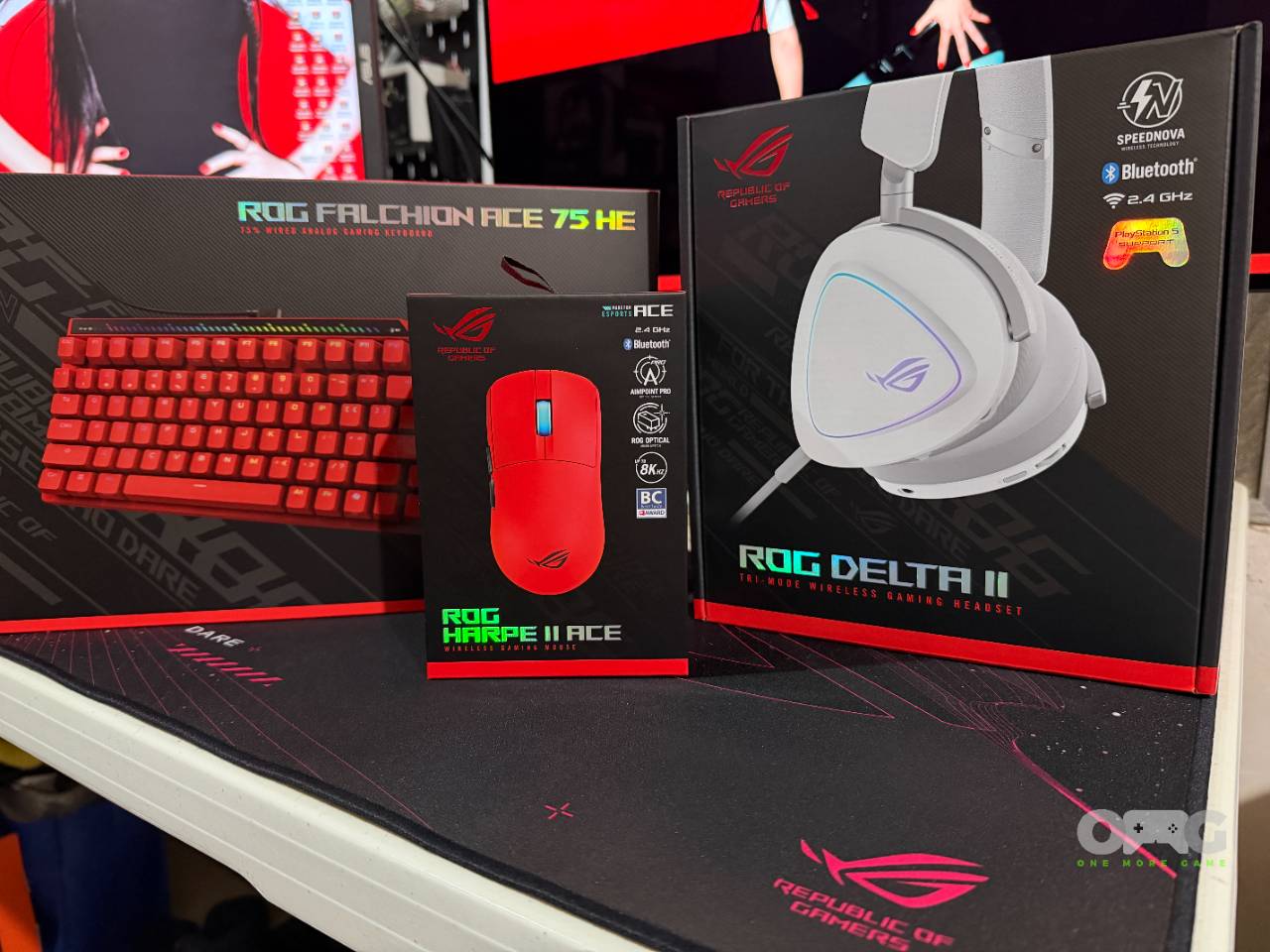
ASUS’s ROG esports line exemplifies this perfectly, with the trio of the Harpe II Ace mouse, Delta II headset, and Falchion Ace 75 HE keyboard standing out as peripherals that look impressive on paper and performing admirably in practice. Each one is designed with features that cater directly to the demands of competitive gaming, while still functioning as excellent everyday devices.
That said, it’s important to recognize that these peripherals are not without trade‑offs. Their specialized features, while powerful in the right context, may introduce compromises in areas like comfort, battery life, or typing feel. For players and users considering them, the question becomes less about whether they’re “good” devices but more about whether their esports‑focused enhancements align with your personal needs.
ROG Harpe II Ace
The Harpe II Ace is probably the most straightforward peripheral of the bunch as it is a lightweight gaming mouse that promises smooth flicks and effortless micro-adjustments. It comes in a stunning red colorway, none of the “holes” that we’re used to seeing from gaming mice, and a matching 2-meter cable, topped off by a 2.4GHz dongle and a dongle extender.
That’s not all, it also comes with a grip tape set and a set of replaceable mouse feet, which are great additions for those that want to have their setup perform exactly the way they want it to.
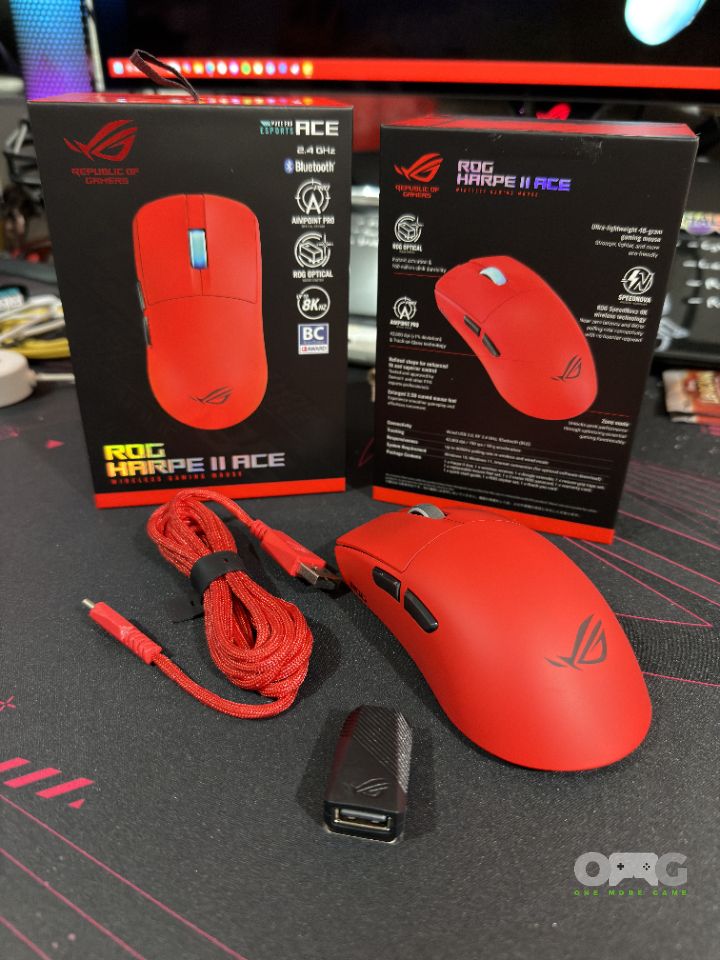
The mouse is sculpted for a low‑profile grip with subtle branding on the right side, and the weight is so light (48 grams) that the mouse almost disappears when you hold it. I also like how light it is without needing holes in the shell, which is a design choice I never appreciated due to the propensity to collect dust in sensitive areas.
It’s lightweight form factor is obviously great for esports players, allowing them to play for extended periods with less fatigue.
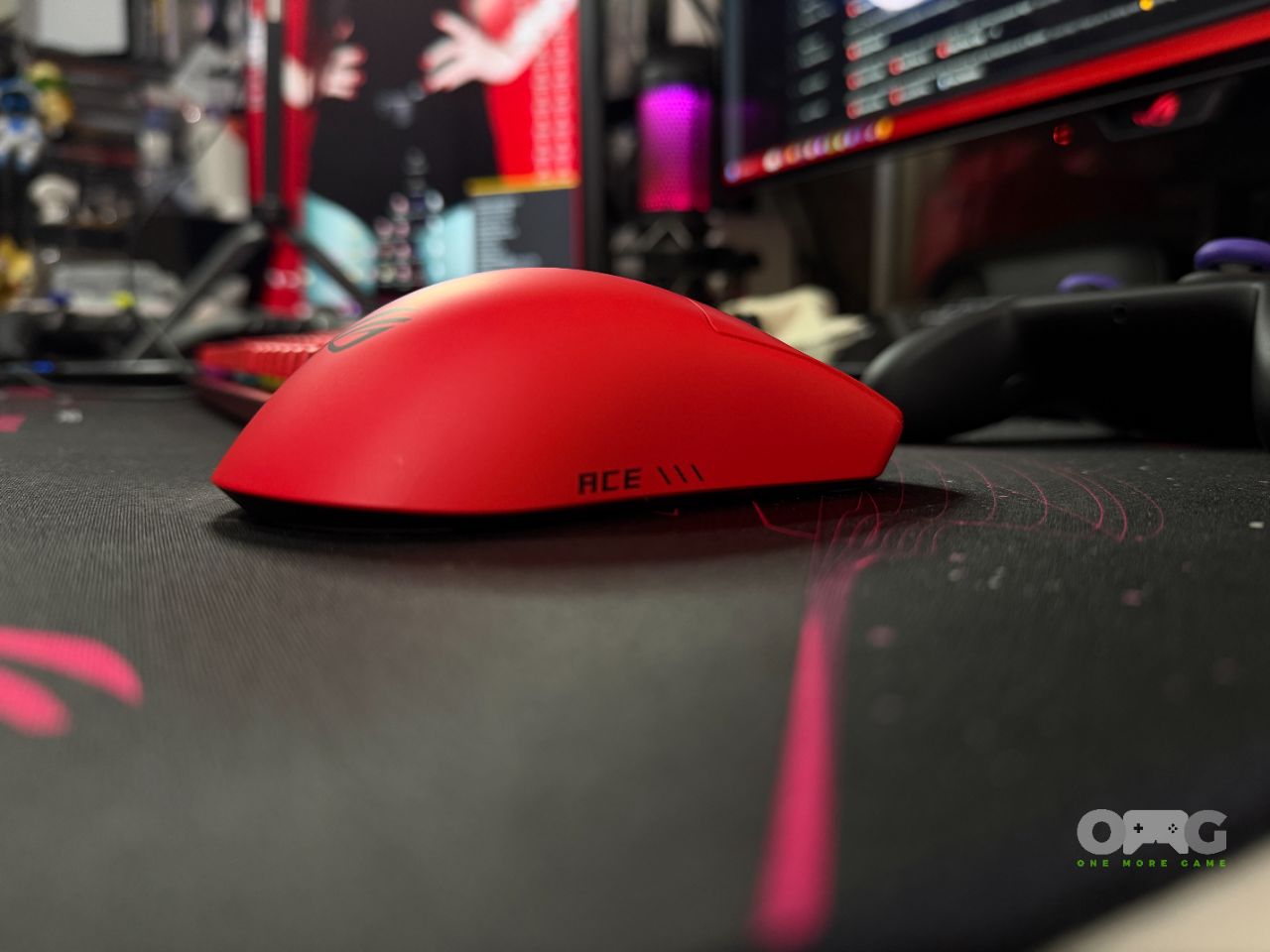
On the left side, there are two side buttons that provide players with additional input points for further customization, great for everyday and competitive use.
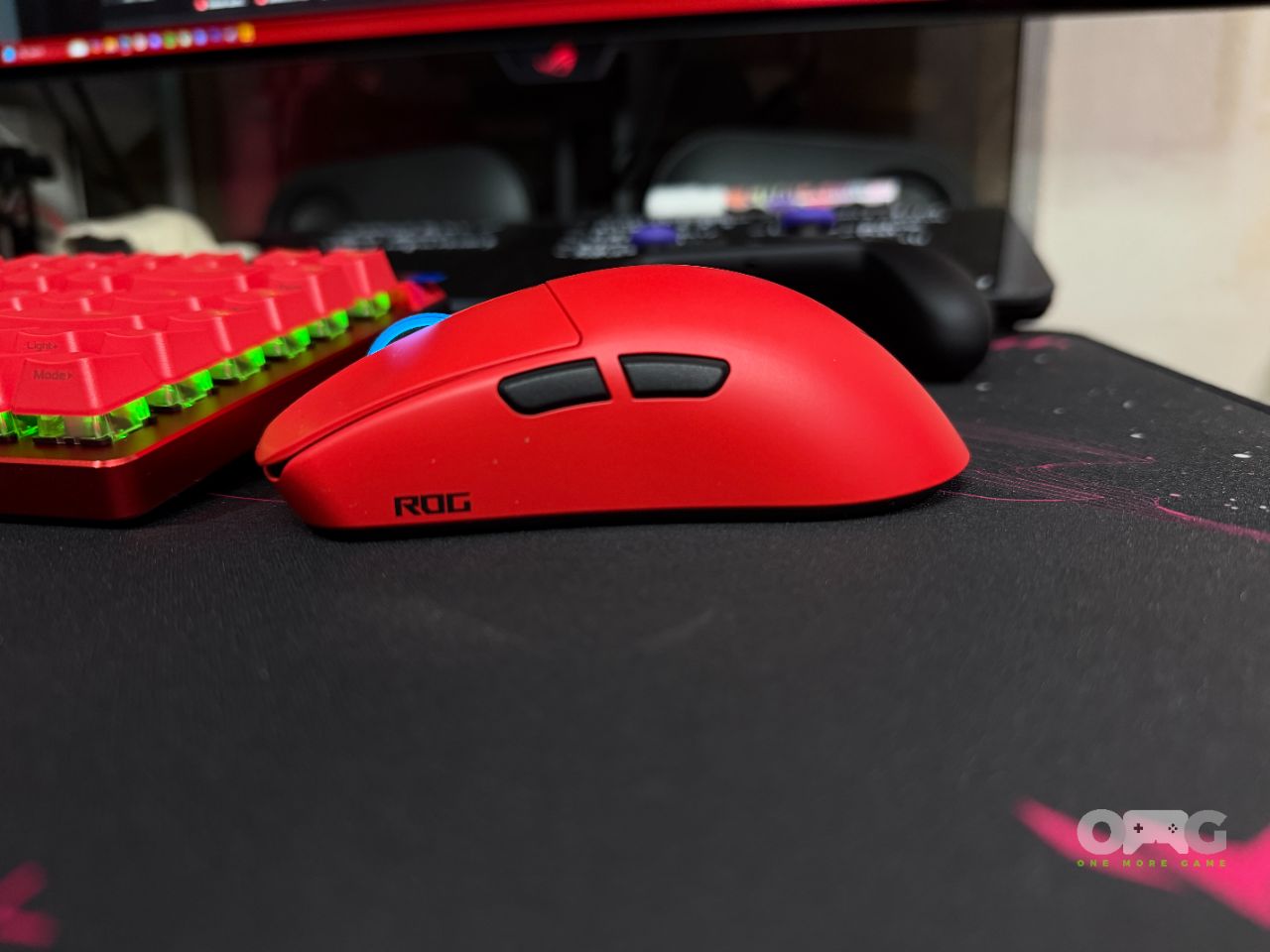
Notably missing is the DPI adjustment button, which is now found at the bottom part. I would have preferred it to be in its usual spot just under the scroll wheel so that I could change settings anytime I wish.
The connection switch can also be found at the bottom, alongside a hollow that is used to contain the 2.4GHz dongle. This design choice always made sense to me, and it’s nice to see that you can fit the dongle in the mouse itself for easy transport.
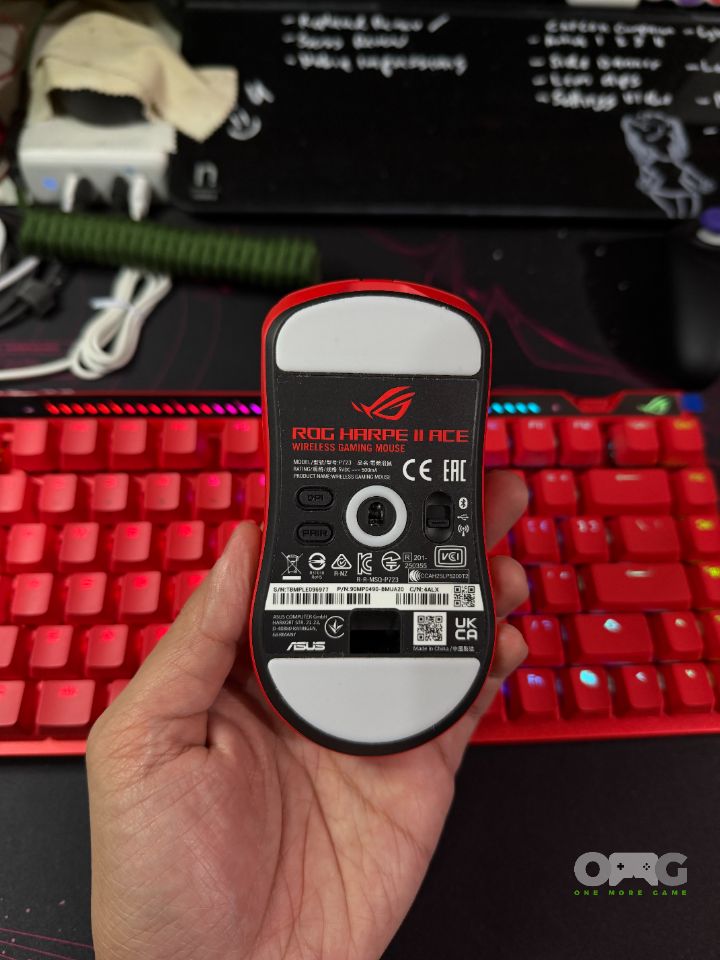
Under the shell, the Harpe II Ace focuses on the essentials, like a high‑precision sensor, a high polling rate, and a responsive click mechanism. While I do find the buttons a tiny bit firmer than I’m used to, which results in missed clicks, it’s something you may want to consider, as other mice I’ve used are definitely lighter in terms of clicks.
The Harpe II Ace seems too focused on keeping things minimal, which is perfectly understandable given its esports direction. Just two side buttons, and that’s it in terms of extras. If anything, its appeal lies in its internal mechanisms, which prioritize precision and speed over everything else. Battery life is noticeably better than my previous mouse, needing only a charge after a full week and a half of work and play, roughly about 80 or so hours of use.
ROG Delta II
Audio is quite a tricky thing to evaluate because it is so subjective, with each person having a preference that’s vastly different from the next. That being the case, when things are done right, it’s a thing of beauty.
Enter the ROG Delta II, a highly customizable headset that is easy on the eyes but also good on the ears. It has clean sound and nice features, along with accessories that allow for wired or wireless listening, but not quite a home run.
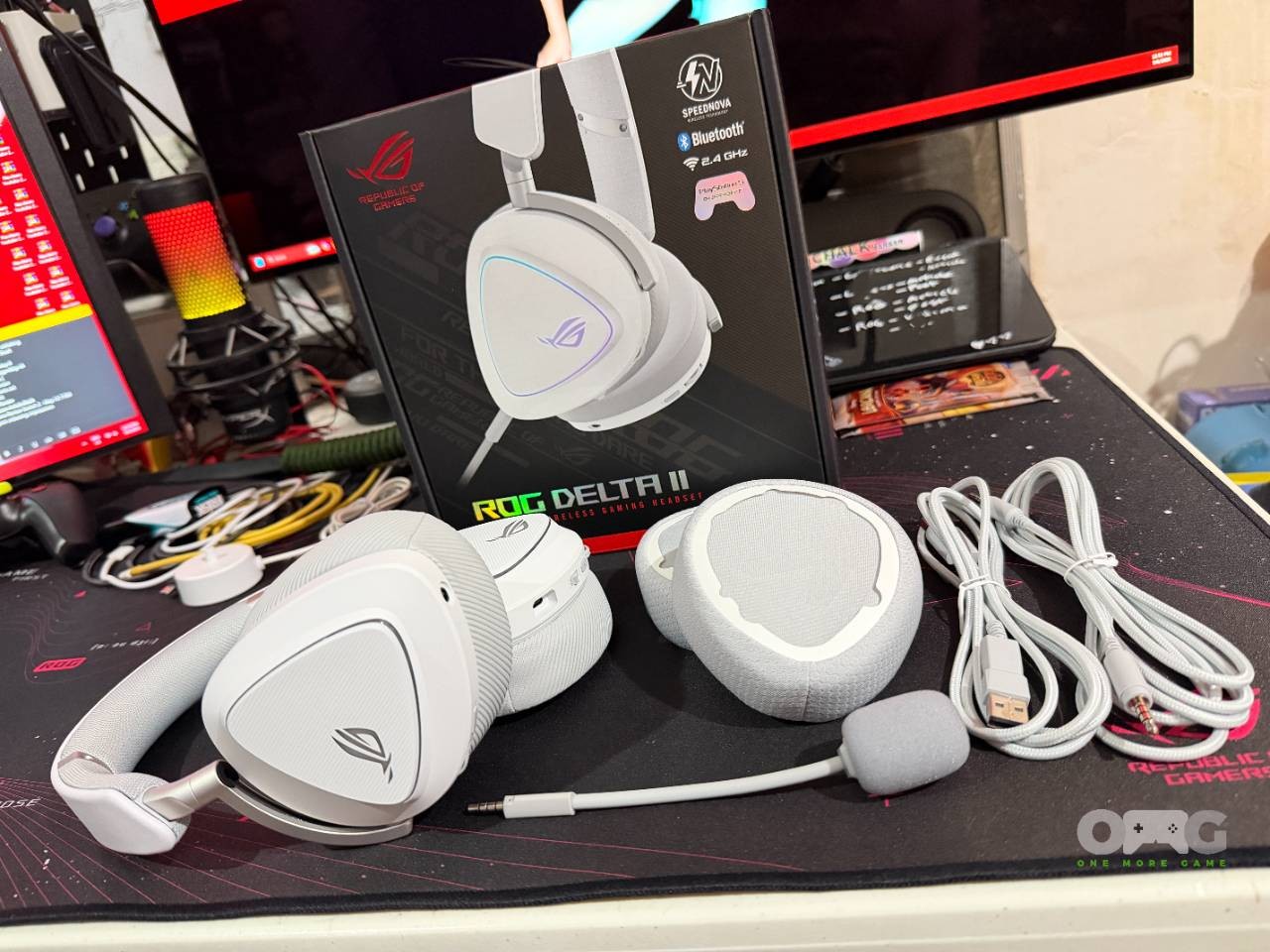
First off, the build is quite sturdy, despite most of it being plastic. The headband is comfortable and has some flex, while the earcups can be rotated and tilted just enough to rest properly on your neck.
One thing I absolutely love about the ROG Delta II is how easy it is to replace the earcups. By default, it is fitted with synthetic leather pads, but it also comes with cushioned pads, which I prefer for their breathability. You simply slide the “clips” onto the attachments, and you’re all set, and it takes a minute at most.
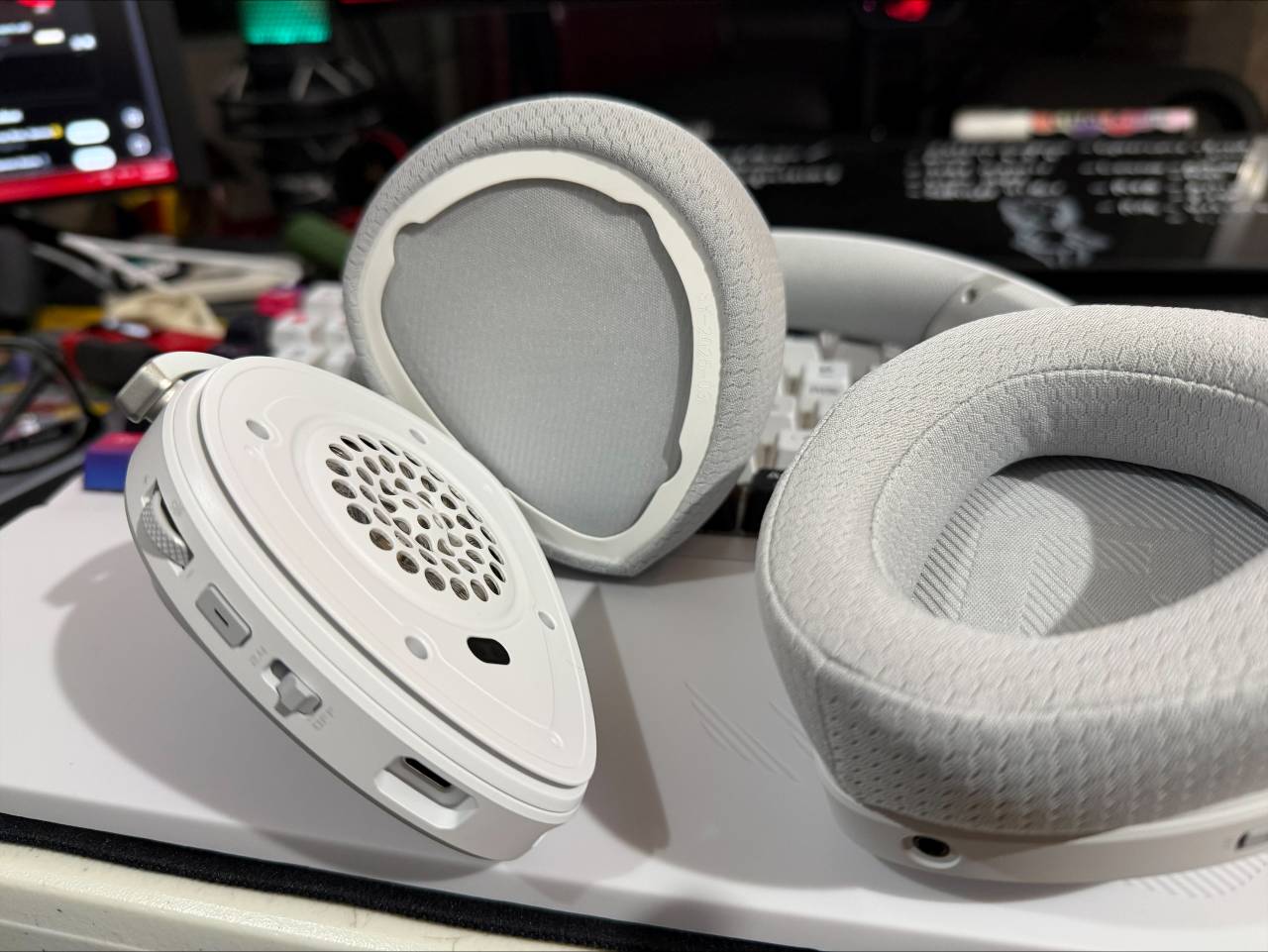
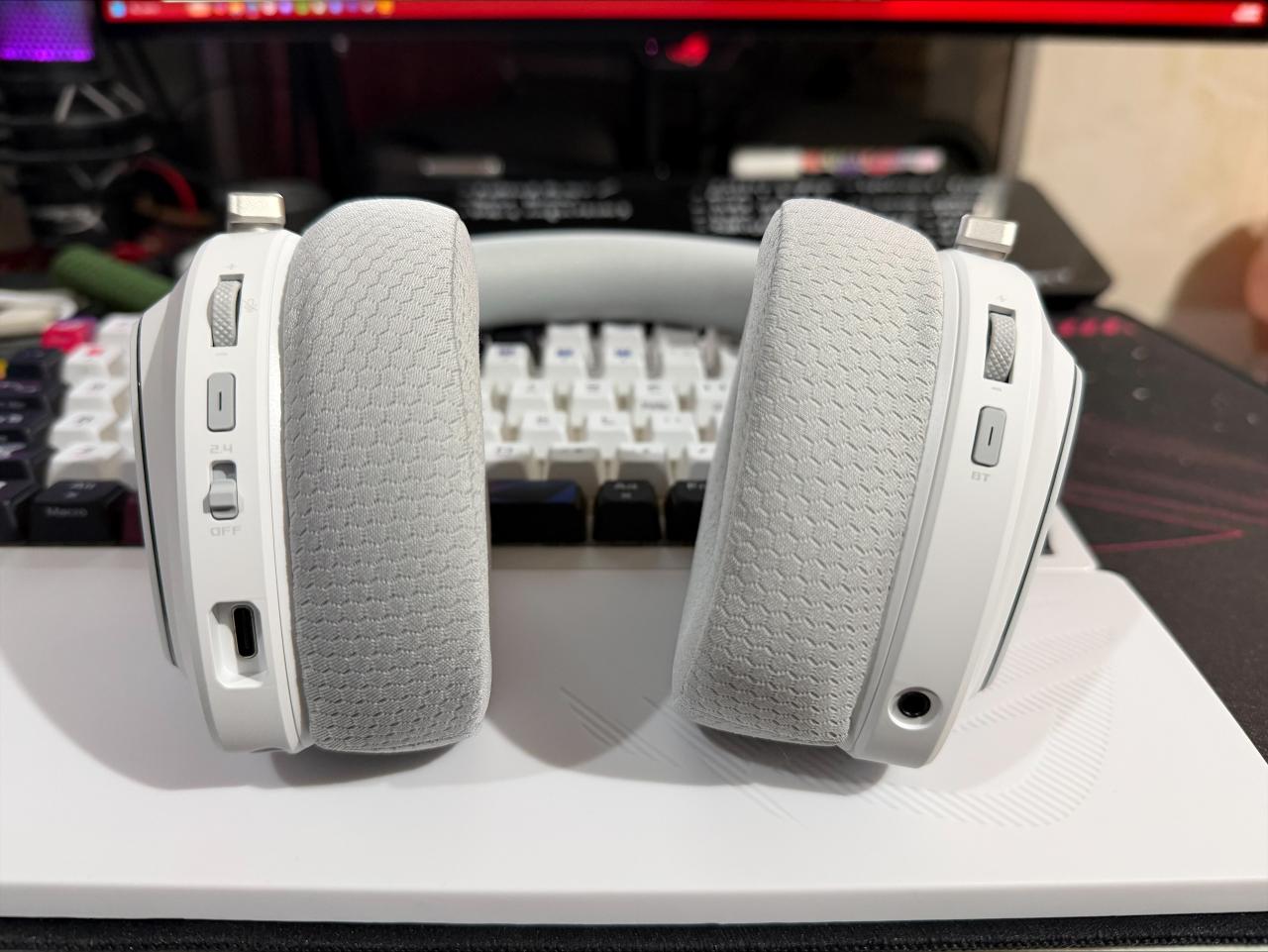
Volume controls, 3.5mm jack, and Bluetooth are located on the right, while mic volume, USB-C slot, and power/2.4GHz toggle are on the left. All controls and buttons are easy to reach, and it’s nice that they are separated in a way that makes sense. The boom mic slot is also located on the left.
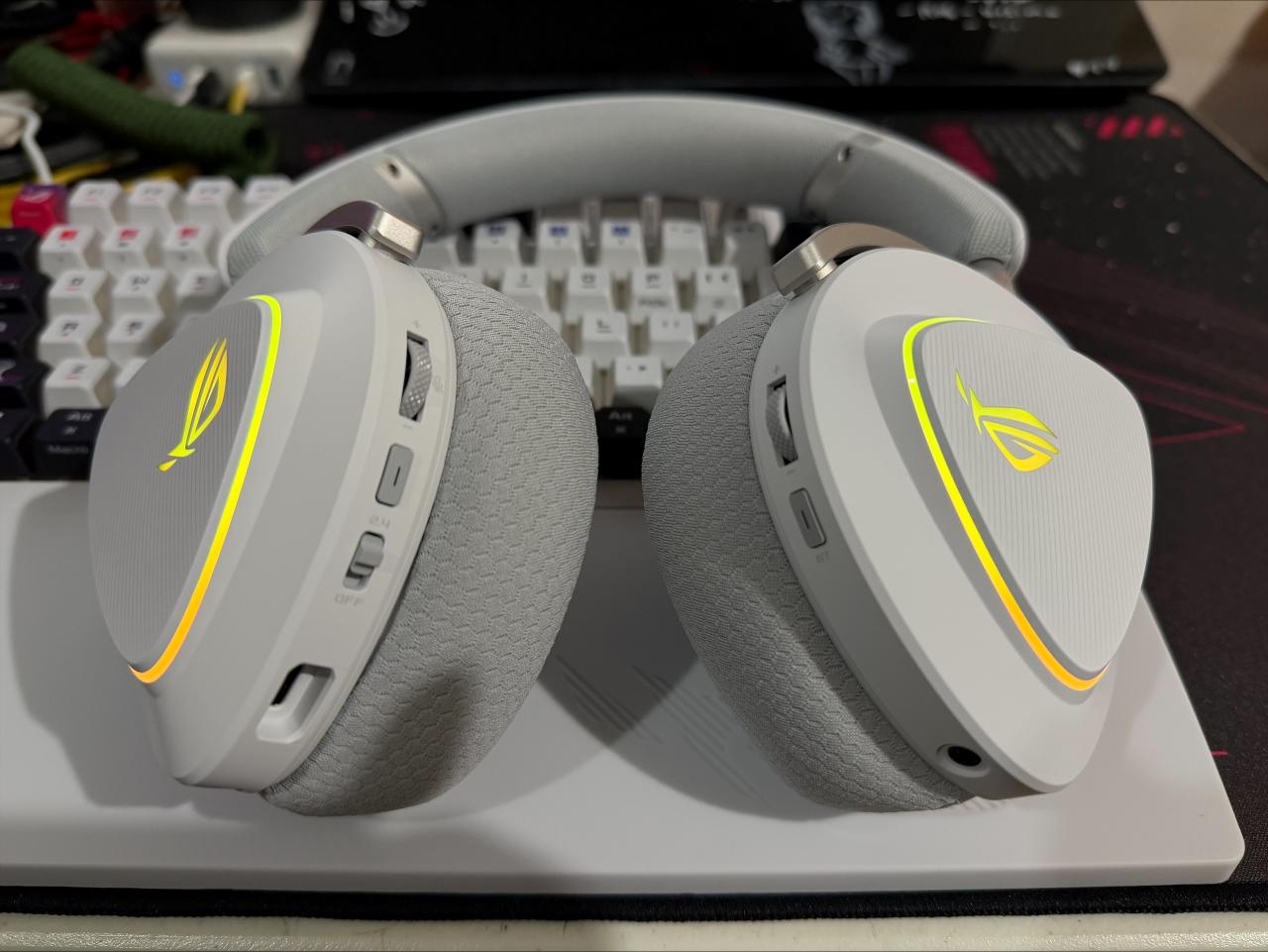
Of course, it won’t be an ROG product without RGB lighting, and the Delta II isn’t really subtle about it, showcasing the eye logo on both sides plus a thin strip wrapped around the panel. One negative about this is that you’ll need to engage with the clunky Armoury Crate software, so there’s that.
Sound-wise, I found that the ROG Delta II performs well in game-related scenarios, but casual listening falters a bit. Its bass is quite restrained but just enough for my taste, as I personally do not like very bassy headsets. Mids shine, with a focus on vocals, so if that’s your thing, then this is a consideration.
That said, this is a gaming headset, and in that sense, the ROG Delta II is great. Most titles will take advantage of its soundstage, but this headset is clearly aimed at FPS and competitive titles, where positioning is of utmost importance. It excels in this department and indeed makes a difference without distorting, even during busy moments.
ROG Falchion Ace 75 HE
If there’s a peripheral that relies on preference more than anything, it’s a keyboard, especially when it comes to layout. The Falchion Ace 75 HE is, as its name suggests, a 75% form factor that leaves the numpad out and compresses everything closely. A little too close for my taste, unlike some 75% keyboards that have some separation between the arrow keys and their adjacent keys. I cannot tell you how many times I accidentally hit the copilot button.
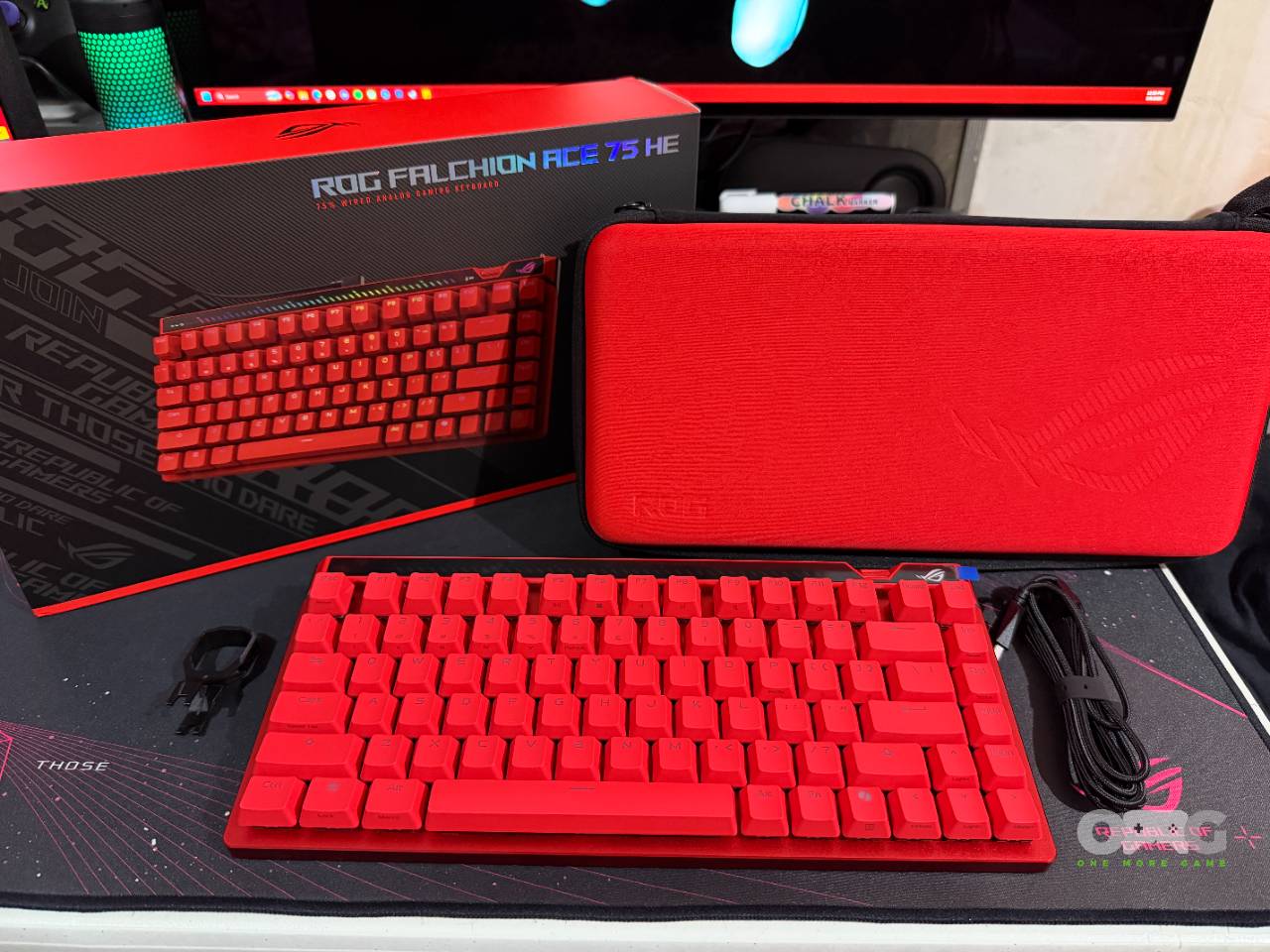
Pushing that aside for a bit, the Falchion Ace 75 HE is stunning. Pictures may not do it justice, but it absolutely slaps in person. Draped in a red colorway, all of its parts and accents complement each other, making it a standout accessory in your PC setup. It comes with a matching hard case, a keycap puller, a USB-C to A braided cable, and an extra CTRL keycap.
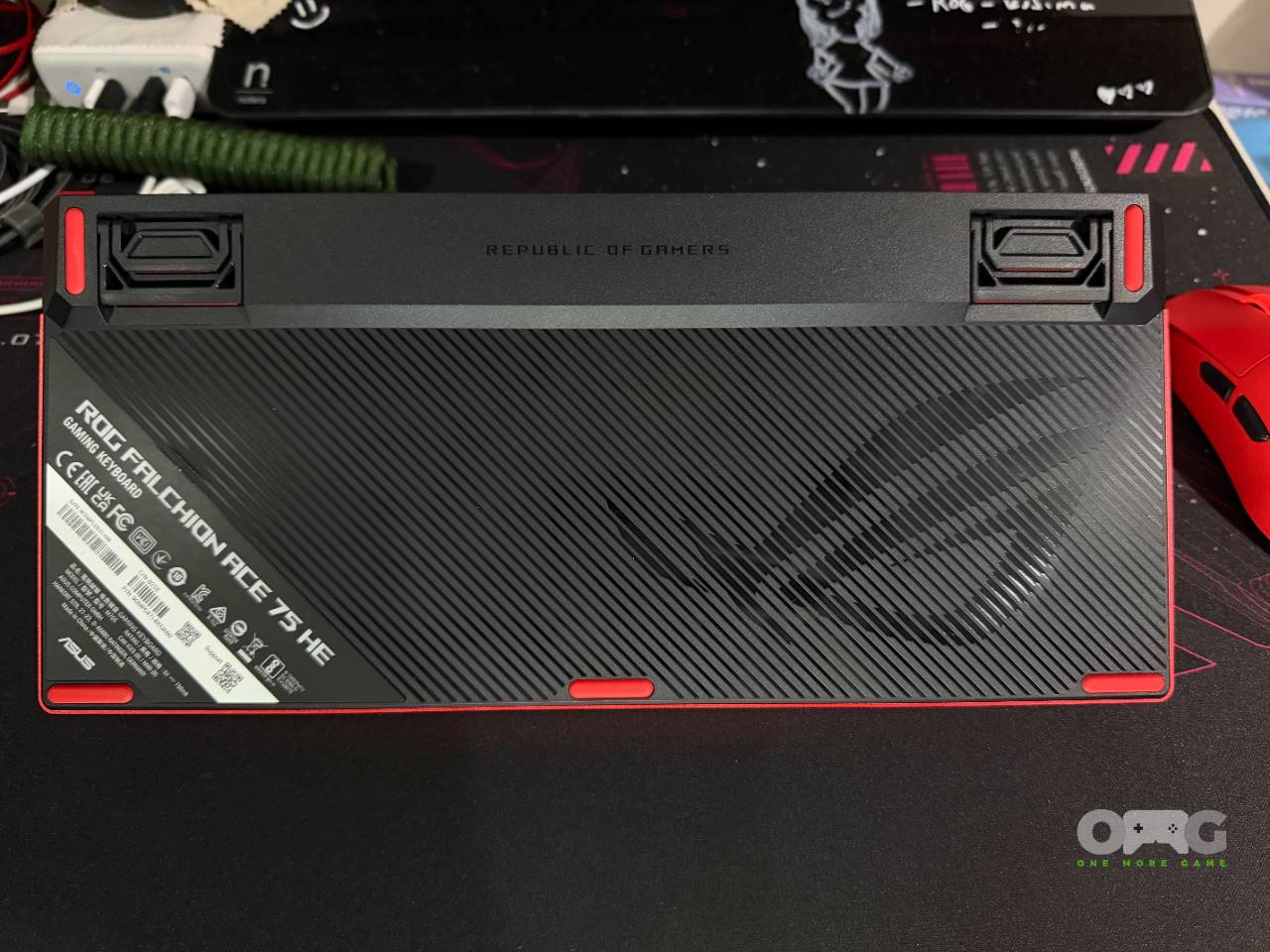
The bottom part of the keyboard looks great as well, with understated diagonal stripes, red rubber strips for grip, and feet to adjust the typing angle. There’s hardly any flex here, and it has excellent dampening.
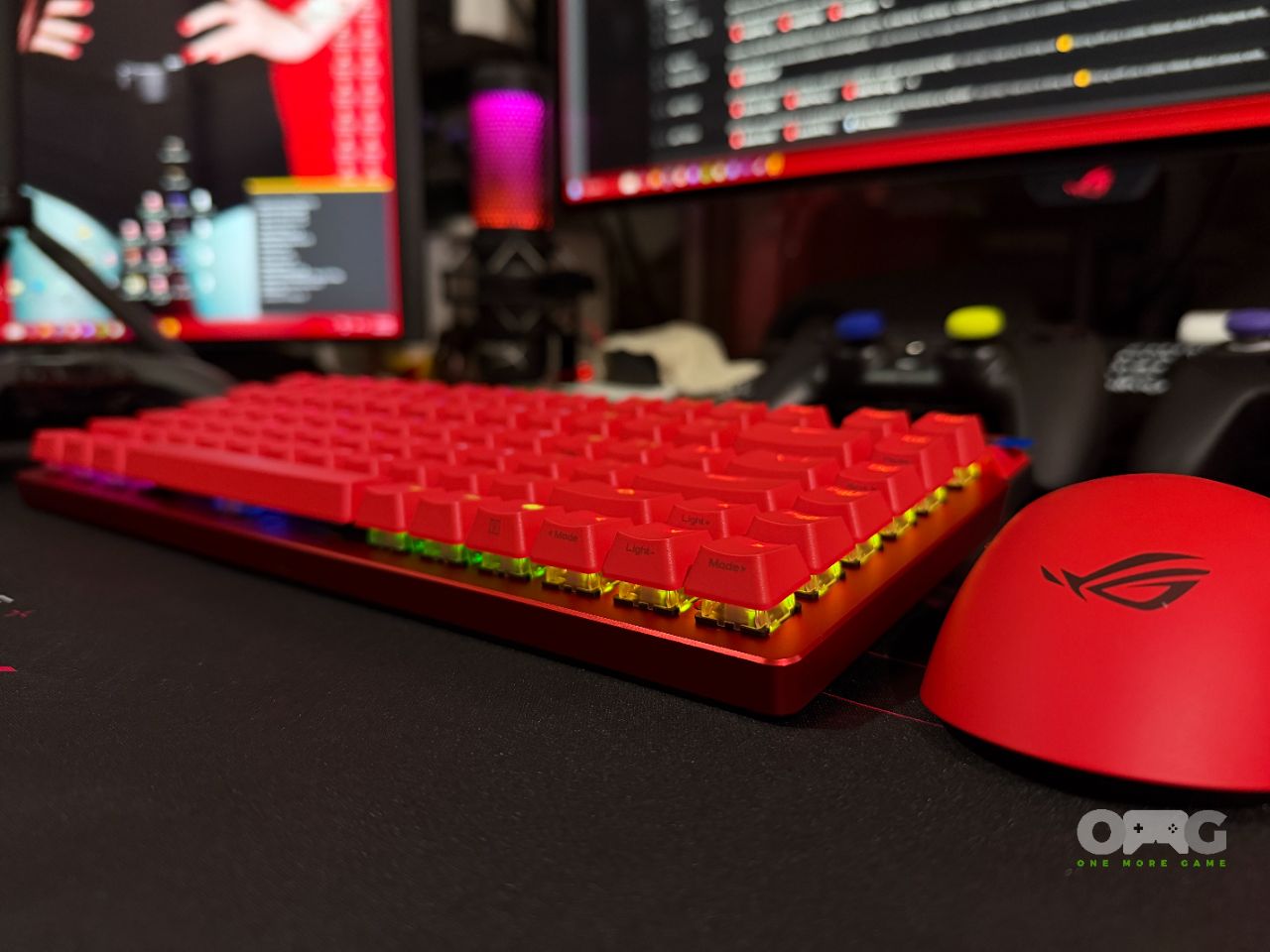
As you can see, given its construction, the included HFX V2 switches and keycaps are fully exposed, making it easier to clean than removing multiple parts to brush its insides. This exposure also means that its RGB lights will be more prominent on its sides, but the included doubleshot PBT keycaps control it because they are not clear.
Speaking of Switches, the included HFX V2 are linears and sound rather satisfying, which you can probably describe as something “creamy.” They have short travel distances, which is a definite benefit for competitive gaming.
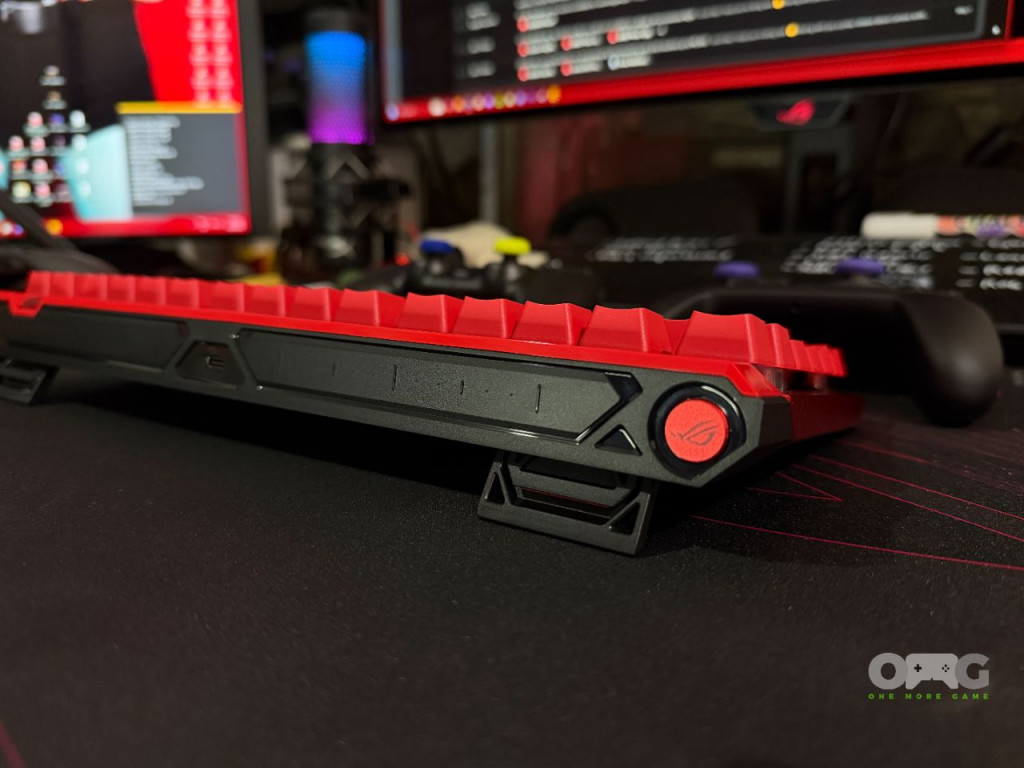
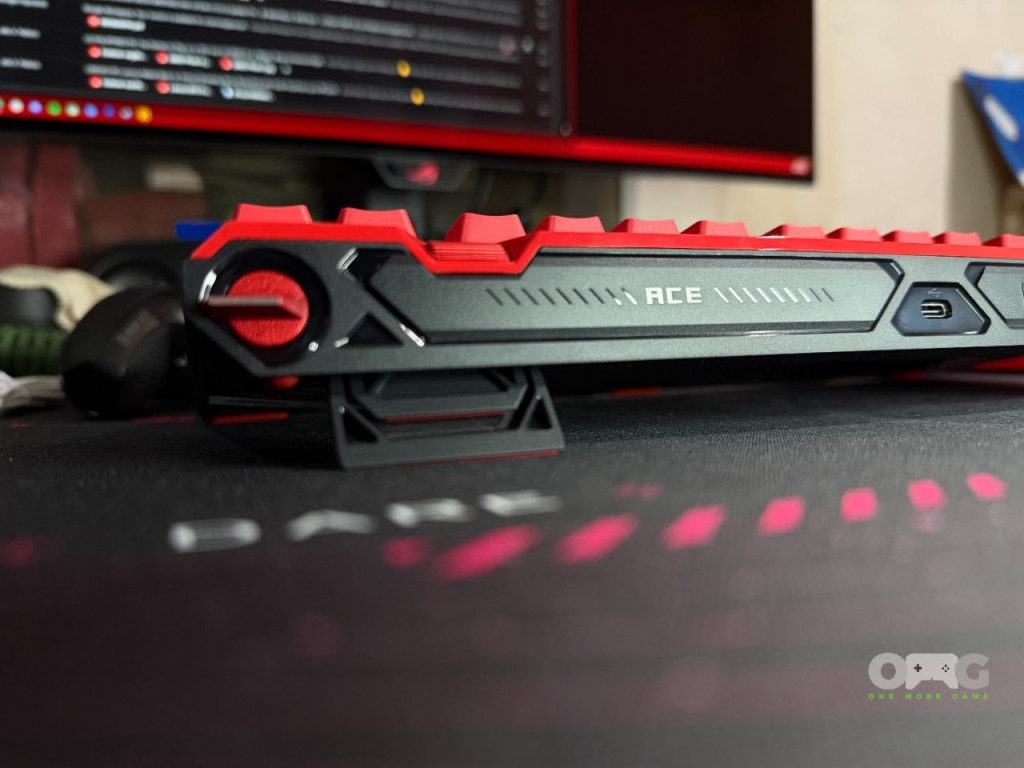
Keyboards, like mice, are usually plug-and-play, and the Falchion Ace 75 HE is that too, to a certain extent. You’ll notice that it doesn’t come with a knob but a roller, similar to a mouse. You would think this controls things like volume, but it is used exclusively to adjust actuation points and rapid trigger. Again, you have to consider that this is an esports-designed peripheral, so it makes sense in that respect. For casual users who expect some other basic functionality, not so much.
That said, it still comes with volume and media controls in the form of a touch/slide panel on the top-left side. This definitely takes getting used to, especially for those used to more traditional setups. Oh, and if you haven’t noticed, there’s no connectivity toggle, meaning this keyboard is purely wired. Again, something that makes sense given that esports needs precision more than anything else.
The Falchion Ace 75 HE can be tinkered with through Gear Link, a web-based app that allows for customization of actuation points, key bindings, and much more. There’s a lot of stuff here, and while it may be intimidating for casual users, competitive players will appreciate the level of customization they can apply to this.
Overall, the ROG Harpe II Ace, Delta II, and Falchion Ace 75 HE are clearly built for specific purposes, and with that in mind, they indeed excel. In this case, what’s good for power users may not be as functional for casual users, and there is a clear compromise for each feature. Ultimately, the question is whether you want peripherals that adapt to your use case or a playstyle that adapts to the peripherals, and the ROG esports set will be more for the latter.